Operation
22
1
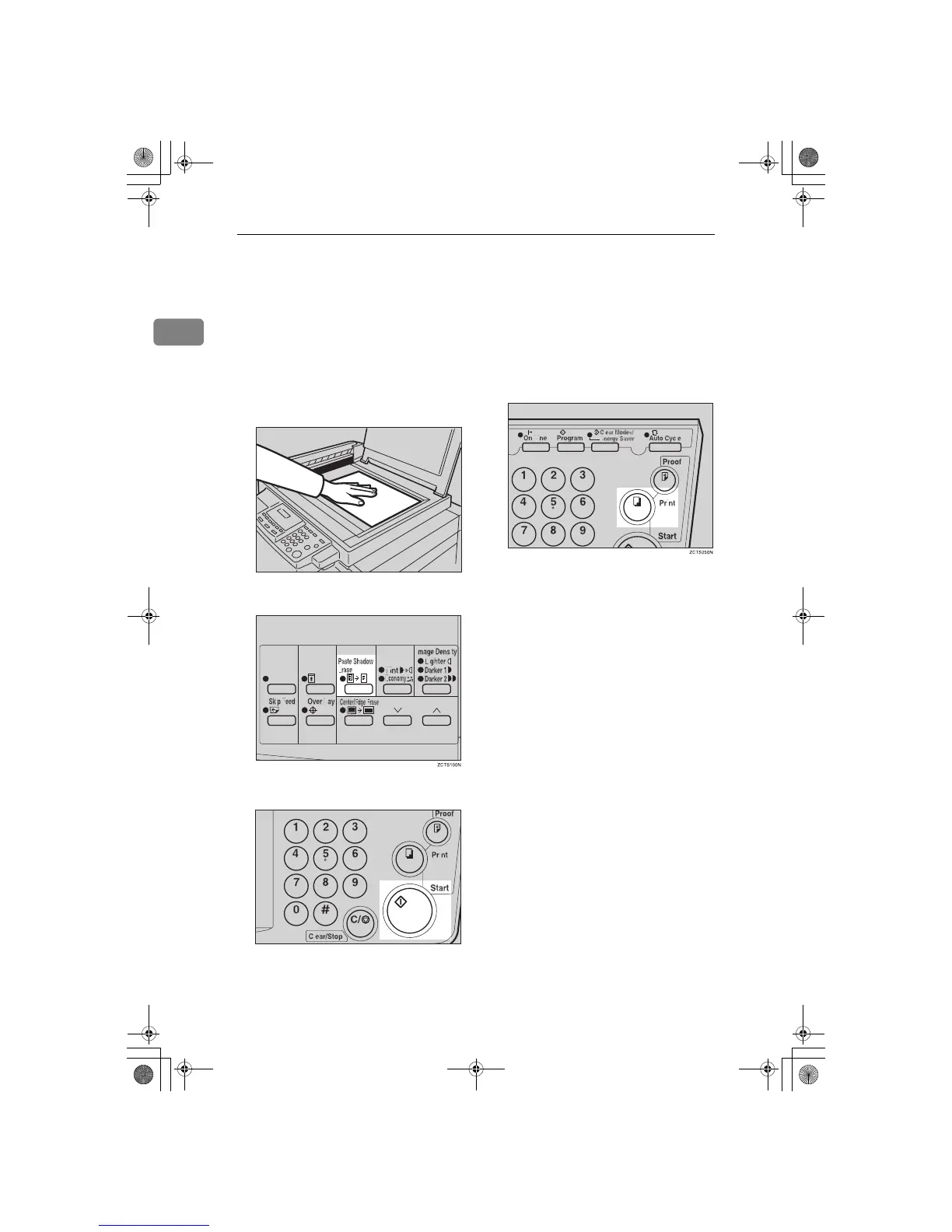
Paste Shadow Erase—Erasing the Shadow
of Pasted Originals
If you want to erase the shadow of
pasted originals, follow the steps be-
low.
A
Set the original on the exposure
glass.
B
Press the {
{{
{
Paste Shadow Erase
}
}}
} key.
C
Press the {
{{
{
Start
}
}}
} key.
D
Enter the number of prints with
the number keys.
E
Press the {
{{
{
Print
}
}}
} key.
TSLH010E
TSLS012N
SilverV-EN.book Page 22 Monday, May 15, 2000 3:23 PM



 To Next Page