Getting Started 1-11
2. Touch Storage and touch Unmount SD card under EXTERNAL SD CARD.
3. Flip open the microSD card cover. Press the edge of the card to release it
and then pull the card out of the slot.
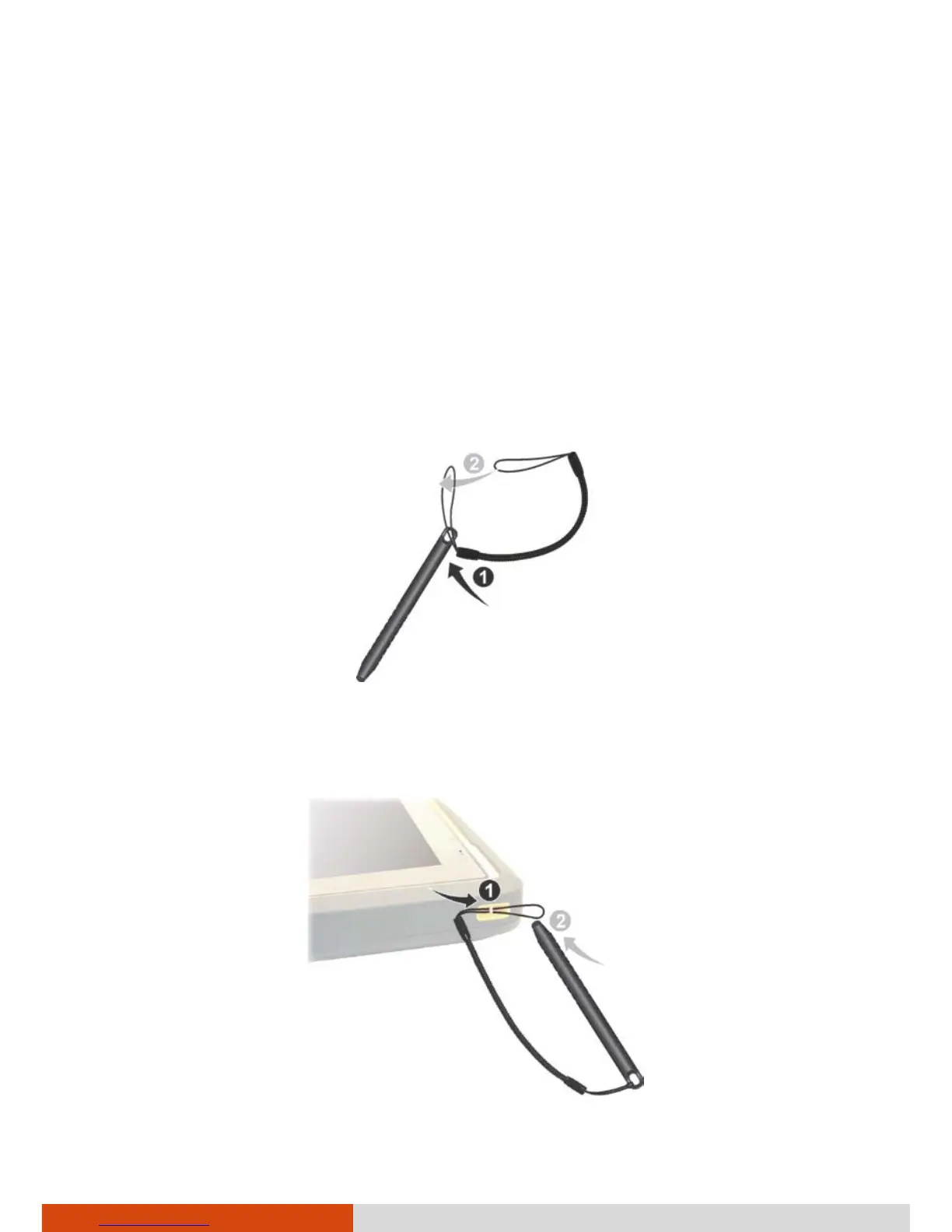
Using the Tether
A tether is provided for attaching the stylus to your device.
1. Insert one of the tether’s loop ends through the hole of the stylus (as
indicated by
below). Then, insert the other end through the first loop
(as indicated by
below) and pull it tight.
2. Insert the other loop end to the right-side holder on the device (as
indicated by below). Then, insert the stylus end through the loop (as
indicated by
below) and pull it tight.



 To Next Page