CONTROL UNIT -
51
Control panel type Avanti
General description
Screen
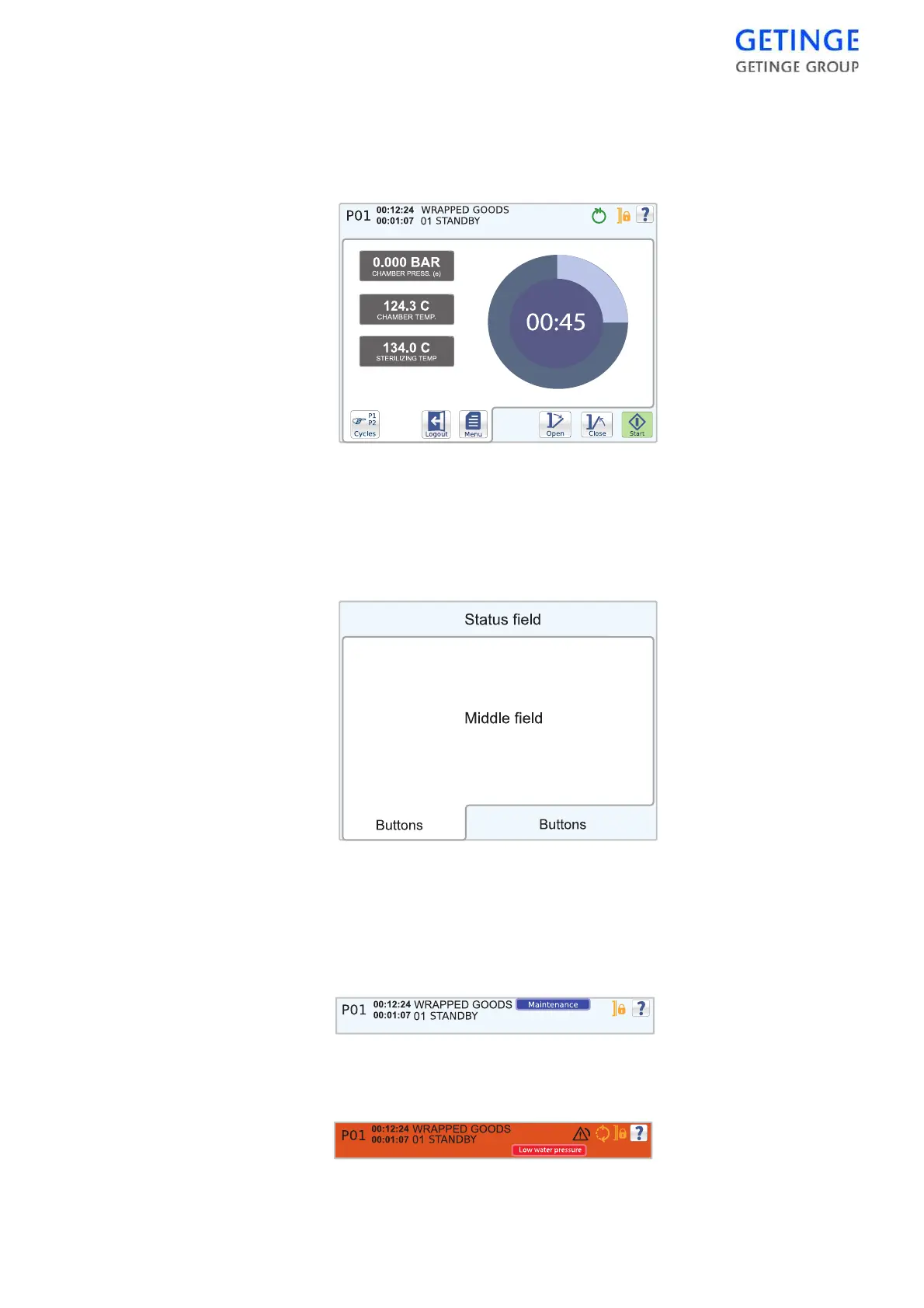
The screen can be divided into three areas: status field, middle field and
button field.
Status field
The status field is displayed in all cycle images. The field contains
information about the machine's current status, such as the current cycle
and phase and the time these have lasted. The message is displayed in a
blue box to the left of the indicators.
In the event of an alarm, the status field color changes to red and an error
message displays in a red message box to the left of the indicators.








 To Next Page