CONTROL UNIT -
59
Inputting window
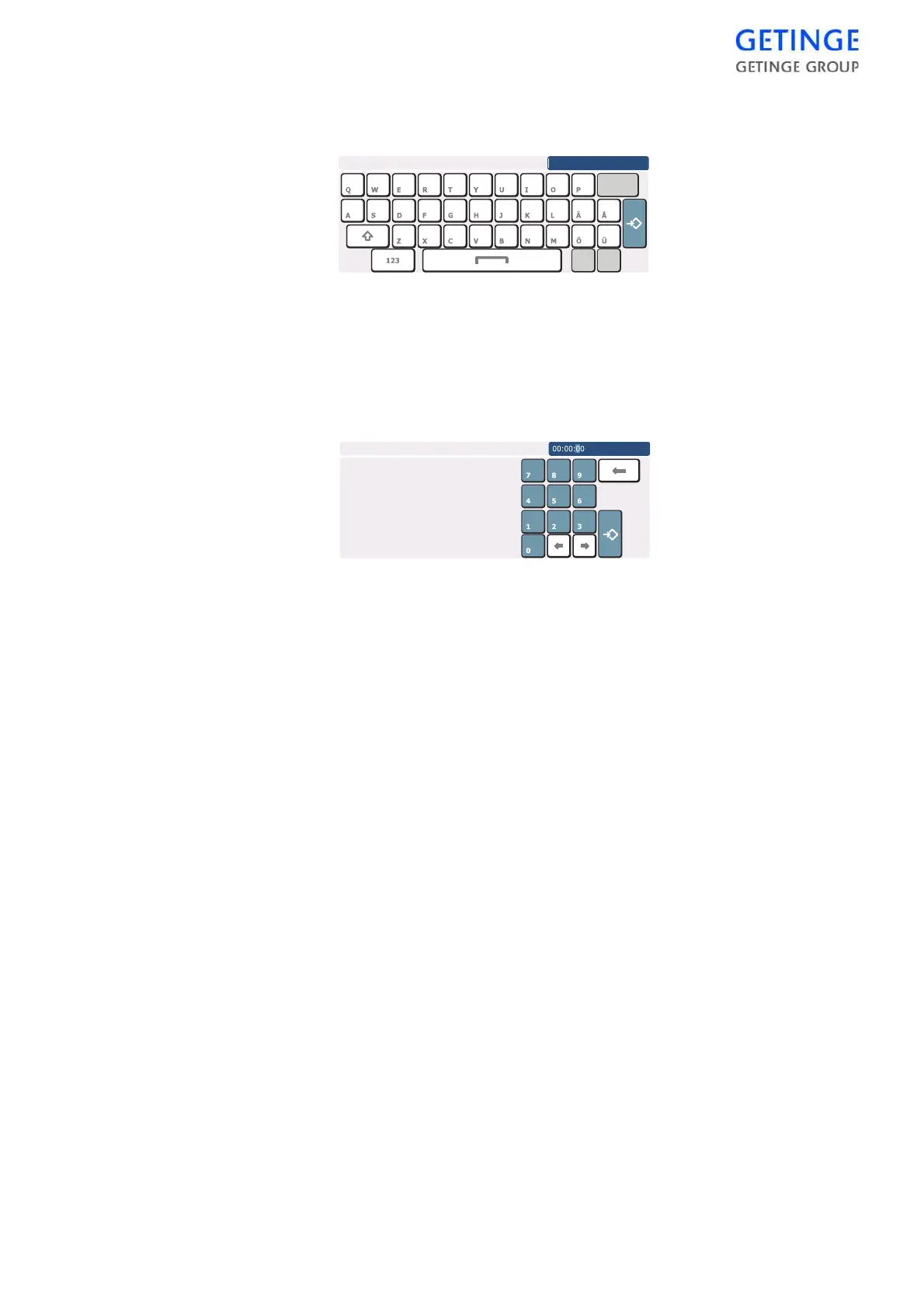
Here are two examples of inputting windows.
.
To enter a name, press the desired letters.
To toggle between small and capital letters, click the arrow up button
down to the left.
To switch to a numeric keyboard, press the button with numbers at the
bottom left.
Press
Save
furthest to the right to save the entry.
To edit the time, mark the number you wish to edit using the arrow keys
at the bottom. Press the desired number. To save the entry, press
Save
at the bottom right.
Different inputting windows exist depending on the input data required.








 To Next Page