CONTROL UNIT -
61
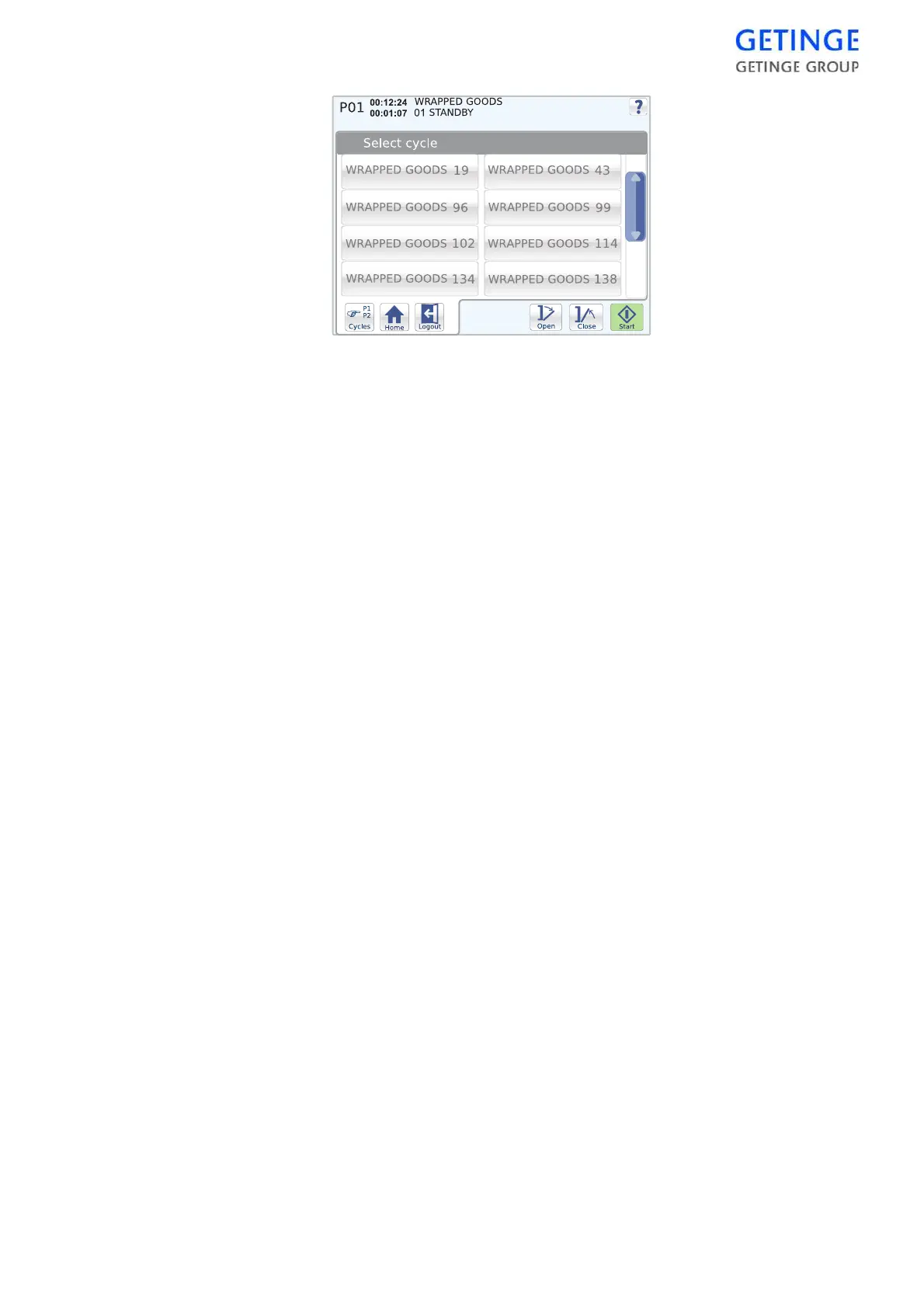
To select a cycle, press the desired cycle. The previous screen is
displayed again.
The selected cycle is displayed in the top left corner of the status field.
Note! The function is not available from the unloading side.
Start cycle
Selected cycles are started with the
Start
button. If the sterilizer is not
ready to start, a message is shown.
Note! The function is not available from the unloading side.
Various information about the current cycle is displayed depending on
the current start screen. For further information, see the Screens section
in Main menu.
The length of time that the cycle or current phase has been running is
displayed in the status field. Also displayed here is the current cycle
indicator.
Login/logout
•
To log in, mark
Login
. An inputting window is displayed for
inputting the password.
•
Because a user is already logged in, the
Logout
button is displayed
instead. This logs out the current user.
•
Typing in an incorrect password brings up an information window.
Press the
Back
button to return to the data entry window.
•
If an incorrect password is entered on login when starting the cycle,
the panel returns to the previous menu after one minute.
Main menu
The
Menu
button returns you to the main menu.
System menu
About
A list of machine specific data is displayed.








 To Next Page