4
Maintenance procedures
Operations to be performed on the touchscreen
26 / 56
Maquet Volista
NM 01780 EN 03
4.3 Operations to be performed on the touchscreen
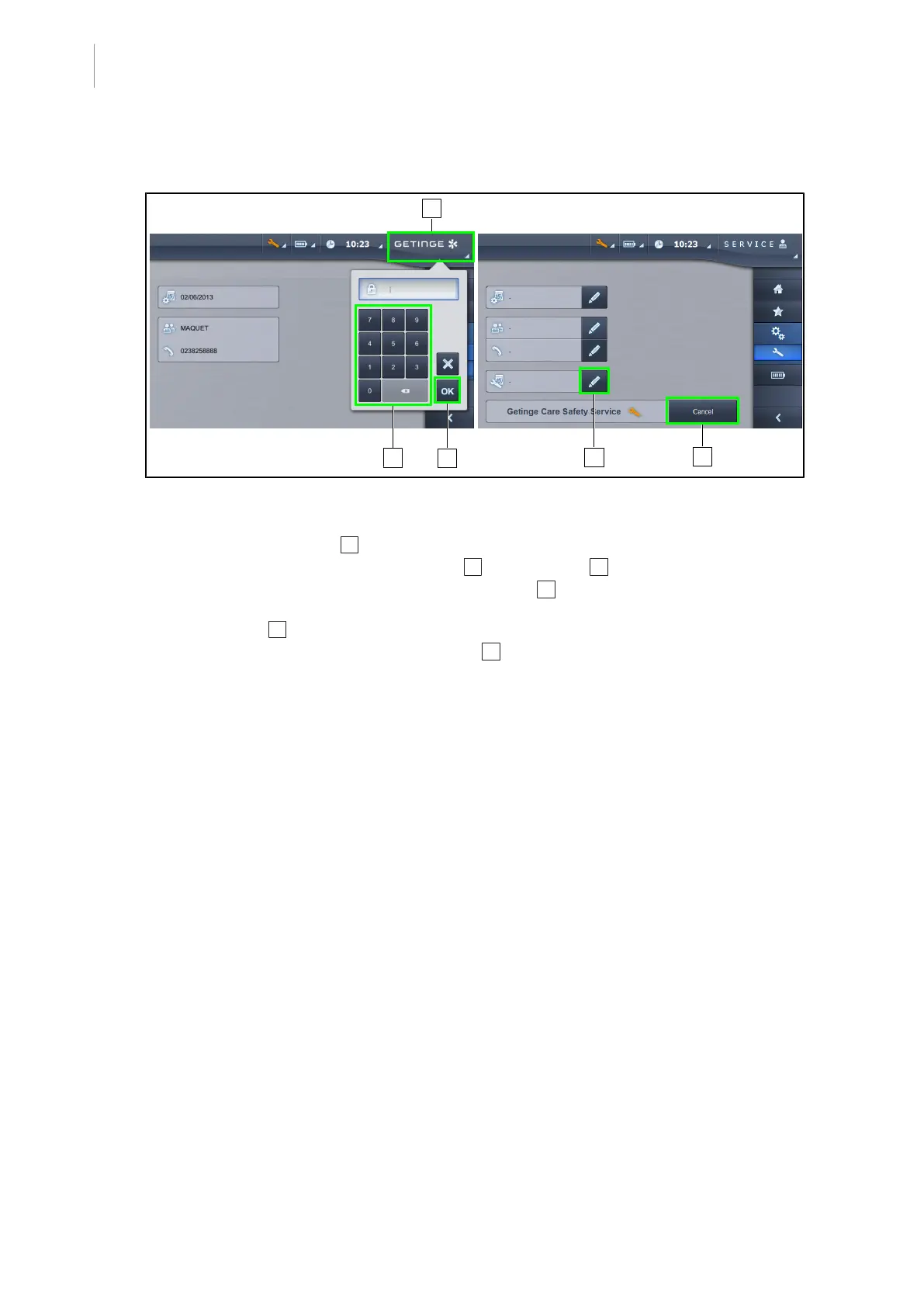
Fig.14: Entry of maintenance date
• At the end of the maintenance, enter the date of maintenance in the touchscreen menu.
• Press the Getinge logo 1 twice to display the password entry window.
• Enter the password 8311 on the keyboard 2 then press OK 3 .
• On the maintenance page, press Maintenance Date 4 then enter the date of the mainten-
ance performed.
• Press Cancel 5 to reinitialise the maintenance and remove the orange key.
• Quit the menu by pressing the Getinge logo 1 again.



 To Next Page