5
Adjustments
Adjusting the brakes
38 / 56
Maquet Volista
NM 01780 EN 03
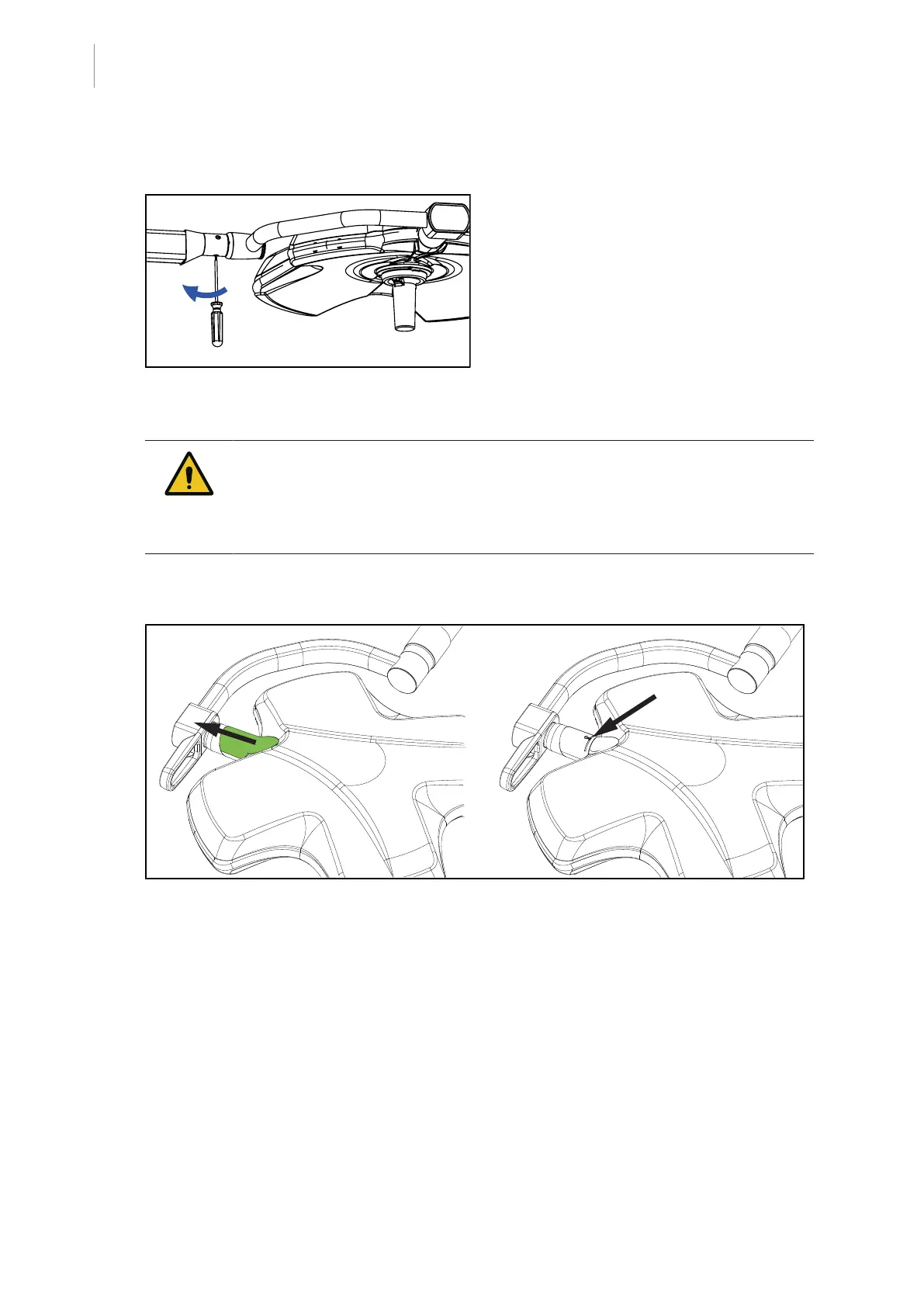
SF version
Fig.41: Adjusting the SF lighthead brake
• Perform the adjustment of the lighthead
brake located on the spring arm:
– Tighten screw to increase braking.
– Loosen screw to reduce braking.
WARNING!
Risk of injury
If a snap ring is missing or installed incorrectly, a component or part may fall
from the device.
Check that all snap rings are properly installed.
VST lighthead
Fig.42: Adjusting the VST lighthead brake
• Slide the grey cover to access the brake and the snap ring.
• Check that the snap ring is correctly positioned and adjust the brake if necessary:
– Tighten screw to increase braking.
– Loosen screw to reduce braking.
• Re-install the grey cover.



 To Next Page