40
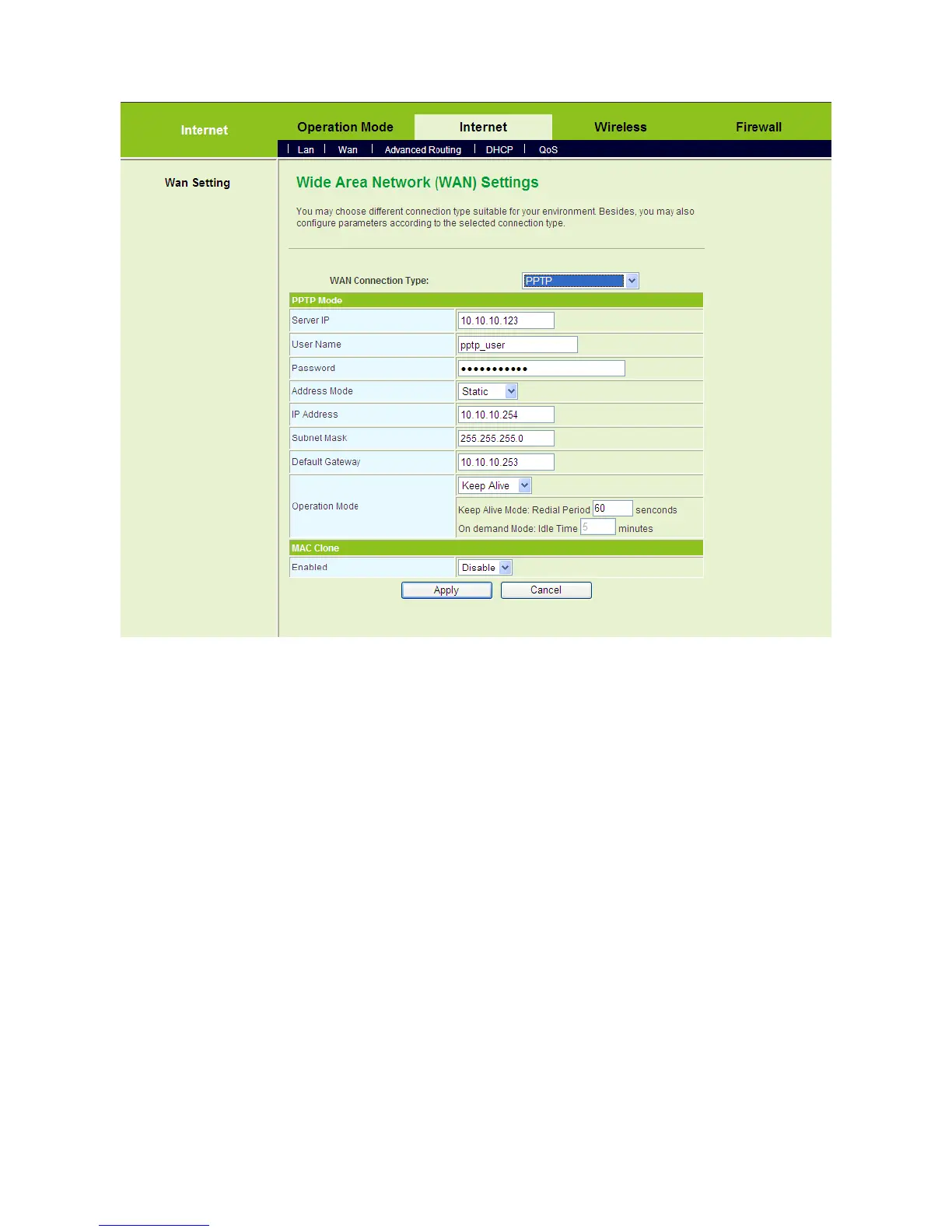
On this page, enter the server IP, the username, and the password provided by the
ISP. Set the IP address, the subnet mask, and the default gateway. When the
Address Mode is Dynamic, the IP address, the subnet mask, and the default
gateway of the WAN interface are automatically assigned by the DHCP server. Set
the value of Keep Alive mode. You can also use the default value of the Keep Alive
mode.
After finishing the settings, click the Apply button to apply the settings.
5.3.3 Advanced Routing
Click Internet > Advanced Routing to display the Static Routing Settings page.



 To Next Page