12.2.1.1.1 PARAMETERS AND DESCRIPTION
Equalizer - Parameters per Band
Equalizer – Description of Parameters
Attenuates or boosts frequencies above (High Band) or below (Low Band) a speci-
fied Shelf Frequency by the Gain Value.
Determines the band width or precision of the filter. Set the curvature around the
edit point and consequently the width for neighboring frequencies to be affected.
Low values result in sharp curvature and high values cause smoother transitions
between the edit points and a broader spread of the spectrum affected by Gain.
The frequency (mean) affected by the gain parameter. Regarding Shelving, this is
the turning point in curvature.
Boosts or attenuates the set band Frequency (mean) by the amount of Gain dB
adjusted. Neighboring frequencies get affected by the dB value of the Filter curve
at this frequency.
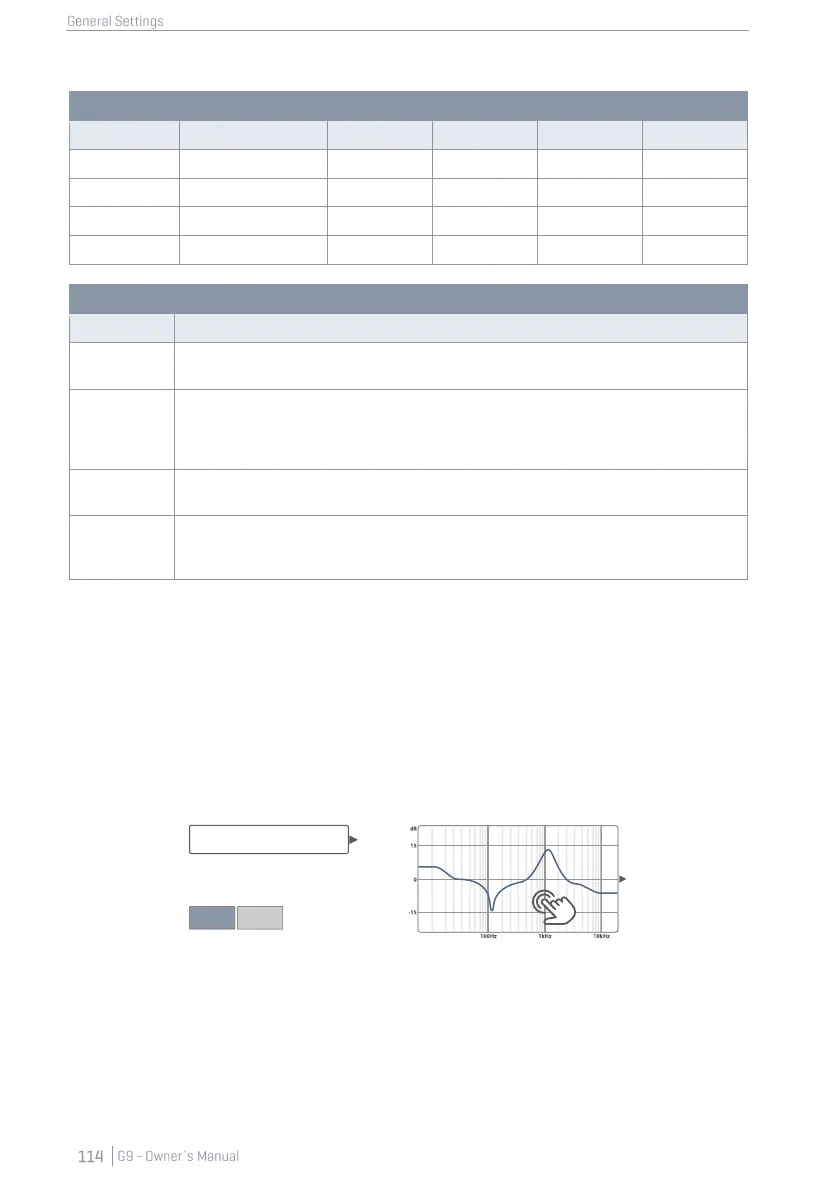
12.2.1.1.2 EDITING EQ CURVES
Proceed as follows:
1. Turn Equalizer [on].
2. Tap the [Equalizer] field which contains the editing curve.
A dialogue pops up giving you access to the EQ Parameters which modify the Curve
Points.
3. (Optional) Select a preset as starting point by tapping the [Preset] field.
Chose a preset by double tapping (alternatively: tap once on the preset name followed
by a tap on [Load]).
4. Determine the frequency band that is closest to the disturbing frequencies in the audio
mix.



 To Next Page