G9 MIDI Routing – Fields and Options
• off
• to MIDI-Out
• to USB-MIDI
• to both
• 10
• 11
• 12
• 13
• 14
• 15
• 16
• off
• 1
• 2
• 3
• 4
• 5
• 6
• 7
• 8
• 9
Default factory settings are highlighted in bold letters.
12.3.1.1.2 LOCAL CONTROL
The next column of the Global MIDI Settings consists of the fields Local Control and Midi Cannel.
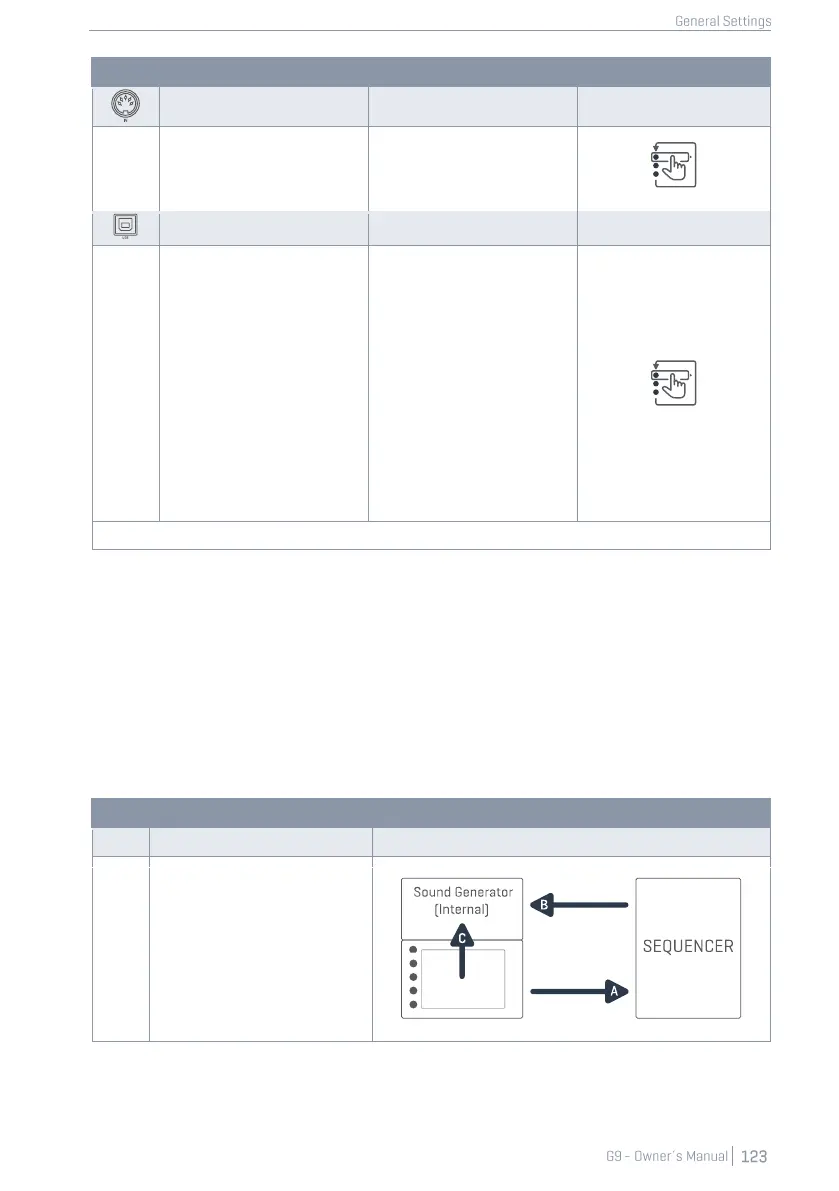
Local Control determines whether G9 MIDI Data can drive the internal sound processor (on) or not
(off). Setting Local control to “off” is recommended in conjunction with sequencers that rout the
recorded MIDI information received from the MIDI out of the G9 back into the console to drive the
internal sound processor. In this setup the G9 sound processor would receive 2 identical sets of
control data if Local Control was set to “on”. Turn off Local Control to reduce the amount of re-
ceived data and avoid unnecessary duplication of signals and unwanted side effects. See the
following table for reference:
Control data generated by Input
Channels (Pads) drives the internal
sound engine (C) and can leave
the device via the MIDI Outputs (A).
Data looping back into the console
indirectly (B) would feed the sound
engine with two identical sets of
data (B, C), if Local Control was on.
Cut MIDI Connection B or turn off
Local Control to avoid unwanted
side effects.



 To Next Page