7 USER INTERFACE - BASICS
This section covers general aspects of using the G9 Drum Workstation. You will learn how to work
with physical and digital Dials, learn about the Interface Structure and gain a fundamental under-
standing of using the built in Touch Screen. Please choose a topic from the submenu in this section.
7.1 EASY MODE
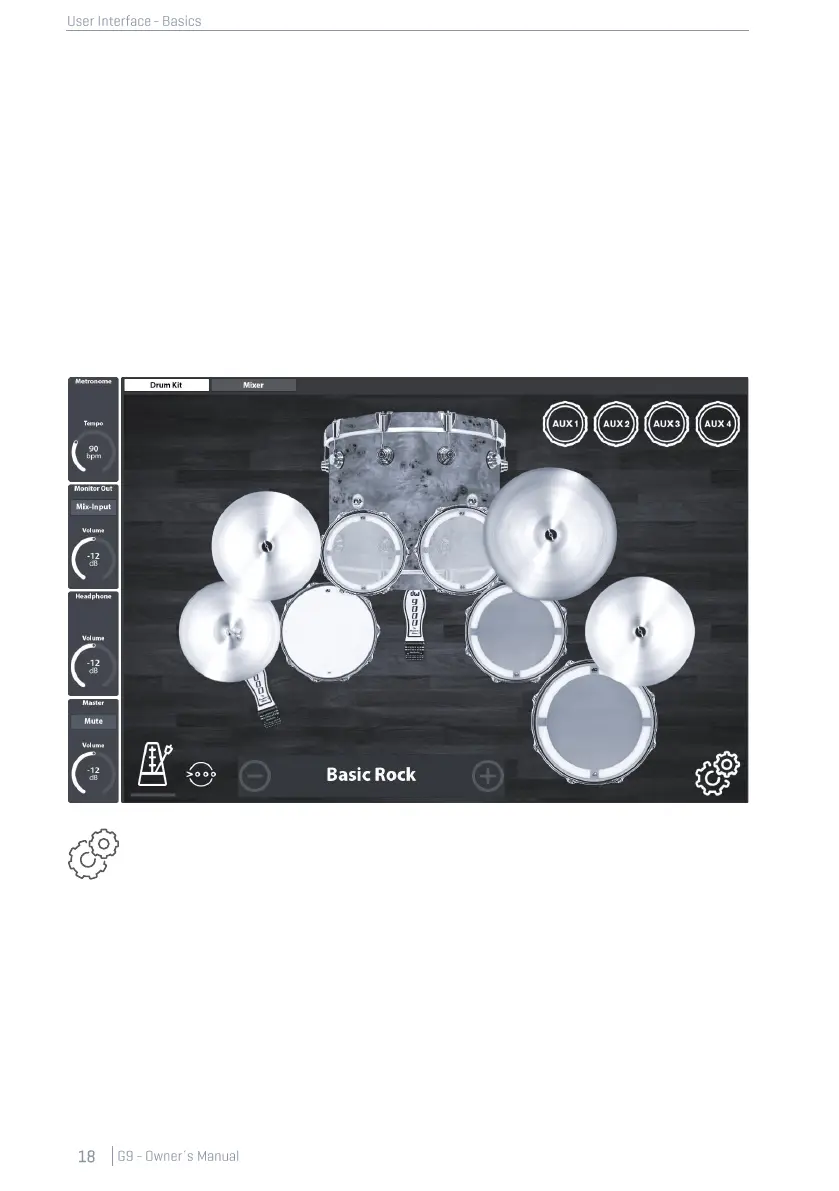
By default, the G9 boots in a graphical screen with the most basic features such as:
• Select preset drum Kits (Tap on Kit name or [+] and [-])
• Tap on Drums and Cymbals to preview Sounds
• Basic Metronome features (on, off and tempo dial)
• Pad volume mixer
• Output volume dials (Master, Headphone, Monitor Out and Mix Input)
All these features can be tweaked further in the Advanced Modes, which are accessible
by tapping the [Advanced] button in the bottom right corner. All changes made in the
advanced modes will immediately take effect in the Easy Mode. Return to the Easy Mode
by pressing the [Home] button (red hardware dial).
7.2 DISABLE EASY MODE
If desired, you can replace the Easy Mode with the Performance Mode.



 To Next Page