How it works:
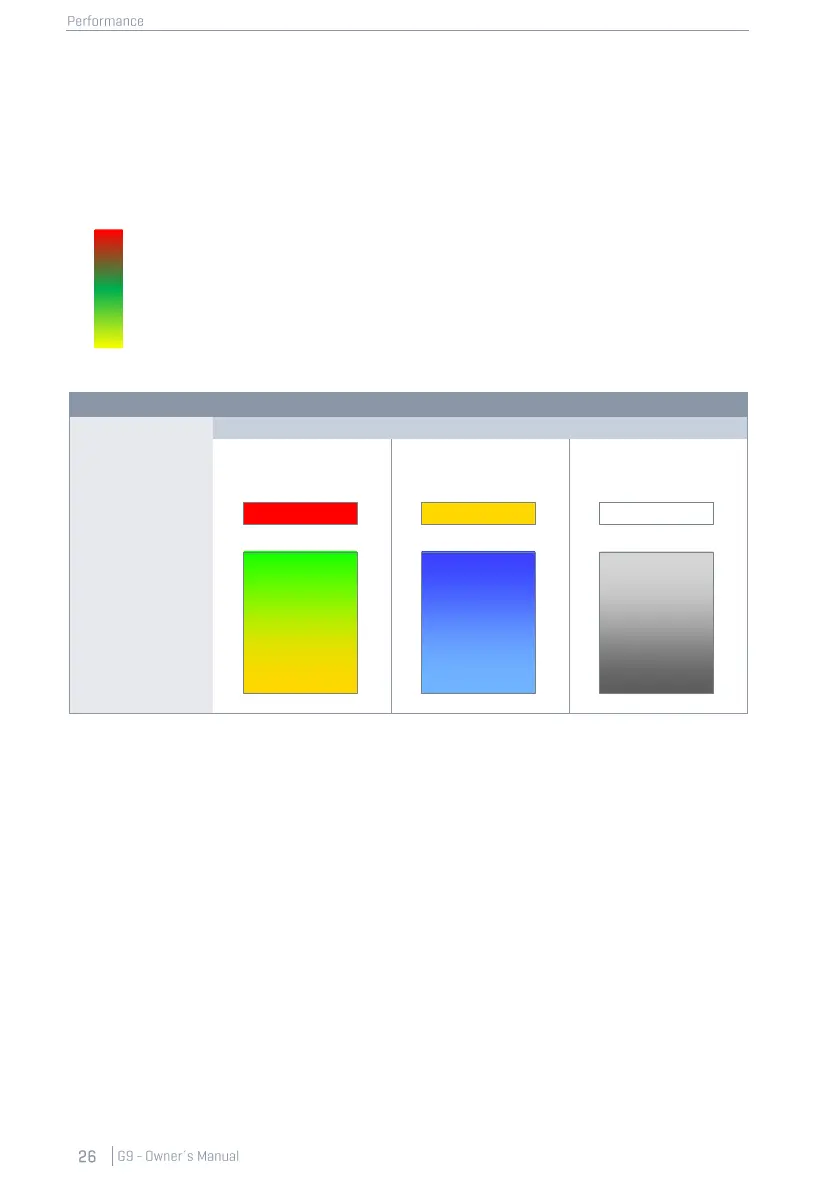
For each input channel, detected MIDI velocity values are returned as values of a color scale from
(0) to (127). The actual color values might vary depending on the chosen UI Theme. Deviations from
the normal color scheme only occur regarding different types of color blindness. The regular ap-
pearance of gradients is then replaced by a scheme out of the perceivable color spectrum of the
concerned group of people. See the table below for color scales by UI Theme.
• Peak:
Lights up only when maximum velocity values are reached in either
Head/Bow or Rim/Edge (Values of 126 and 127).
• Head/Bow:
Provides real time feedback about Head and Bow values within the nor-
mal range of 0 to 125.
• Rim/Edge:
Provides real time feedback about Rim and Edge values within the nor-
mal range of 0 to 125.
8.2.1.2 PEAK DETECTION
The functions filed under Peak Detection comprise all options for customizing the behavior of the
Trigger Detection field.
• Hold:
The trigger detection panel updates and stores its visual feedback until resetting the view
manually.
• Auto:
The trigger detection panel is reset automatically after a time-out of approximately 3
seconds after the last input signal detected.
• Reset:
Tapping refreshes the values in the Trigger Detection field.



 To Next Page