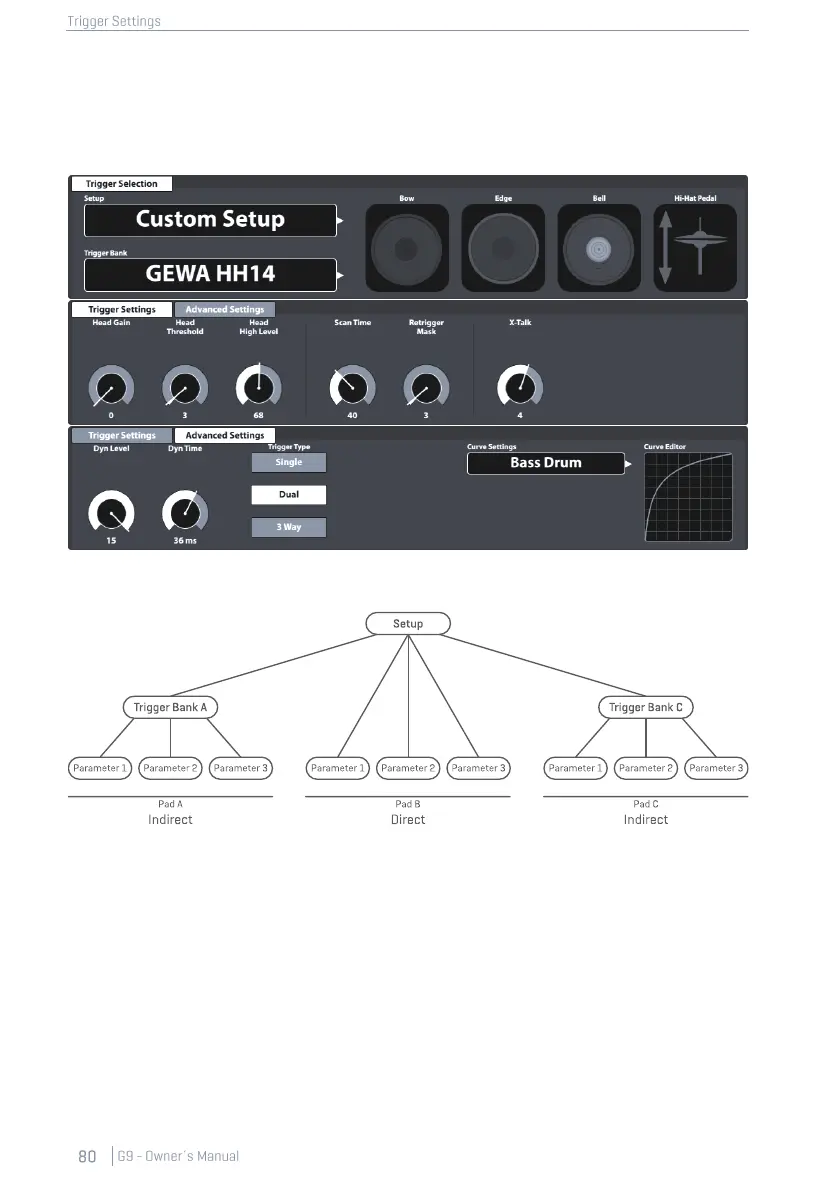
when saving a setup. The trigger bank preset field will show “Custom Setting”, whose parameter
values can still be converted into a preset later. Don´t forget to save or create a setup after the
creation of a trigger bank, otherwise the setup will recall previous trigger banks when loading it next
time. However, since the new trigger bank exists, you can always make up for this by assigning the
correct trigger bank preset and saving the setup again.
With the Setup on top, the preset hierarchy of the trigger settings parameters is structured as follows:
11.2.1.1.1 STANDARD SETUPS
These Setups assign default Trigger Bank presets to all Input Channels available which store parame-
ter values optimized for GEWA pad components and can be found in the Trigger Bank Selection
browser under Default Presets.
The Standard Setups are designed to match common GEWA configurations of pads available.
Check your configuration and assign the matching Trigger bank for best trigger performance. See
the following table how table how each standard setup configures the Input channels with Trigger
Banks (Presets):



 To Next Page