11 TRIGGER SETTINGS
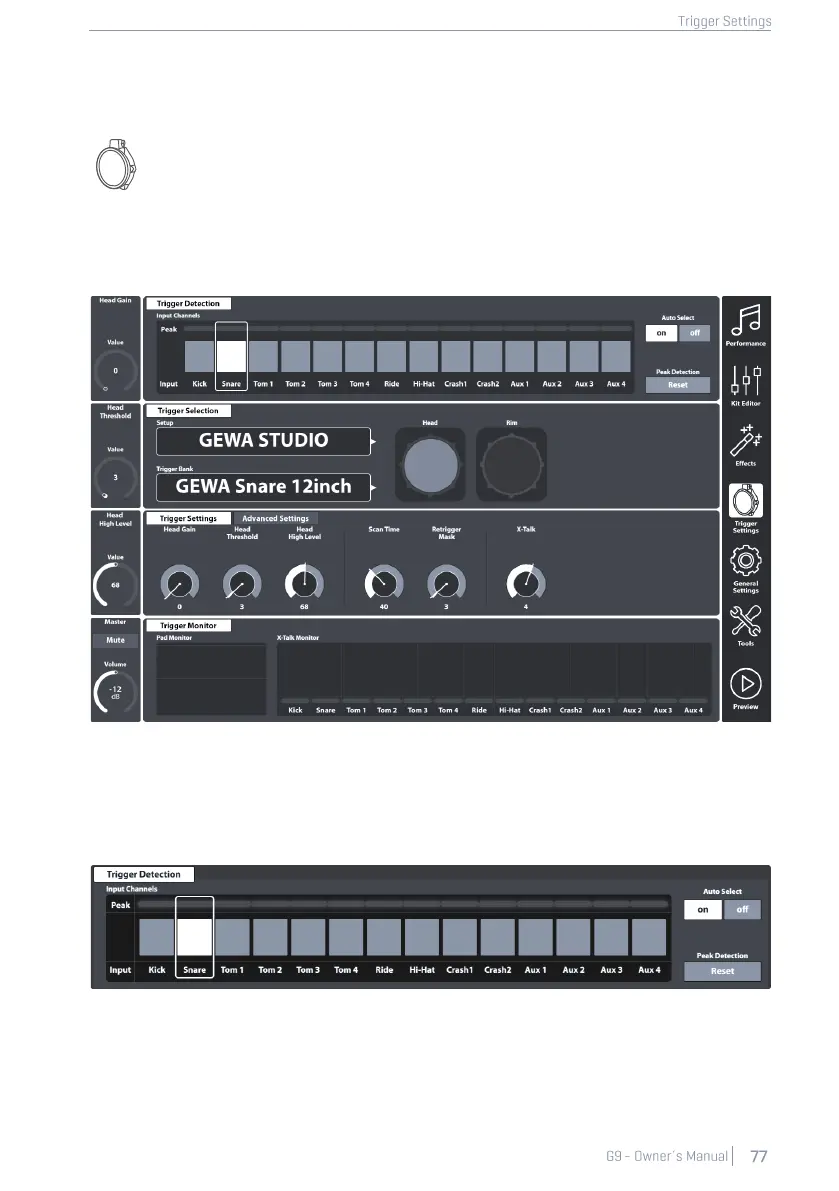
In the Trigger Settings mode, you can adjust the behavior of the sensors in the pads further
customizing the e-drum. Note that the top three dials on the left-hand side change to
affect the High Level, Head/Bow Threshold and the Head/Bow Gain faders.
It is recommended to use factory presets for pads (if available) by browsing the Trigger Bank and
Setup menus. However, the G9 provides a range of features to calibrate any analogue trigger pad
to your playing style. Learn how to create custom trigger banks and setups and gain an understand-
ing of the underlying parameters.
11.1 MODULE 1
11.1.1 TRIGGER DETECTION
The function set Trigger Detection hosts two main feature categories:
• Selection of input Channels (Pads)
• Monitoring of Trigger Performance (Peak Monitoring)



 To Next Page