EasyManua.ls Logo

Gewa G9 - Page 174

Gewa G9
180 pages
Print Icon
To Next Page IconTo Next Page
To Previous Page IconTo Previous Page
Loading...
13.6.1 CONNECTING TO THE CLOUD
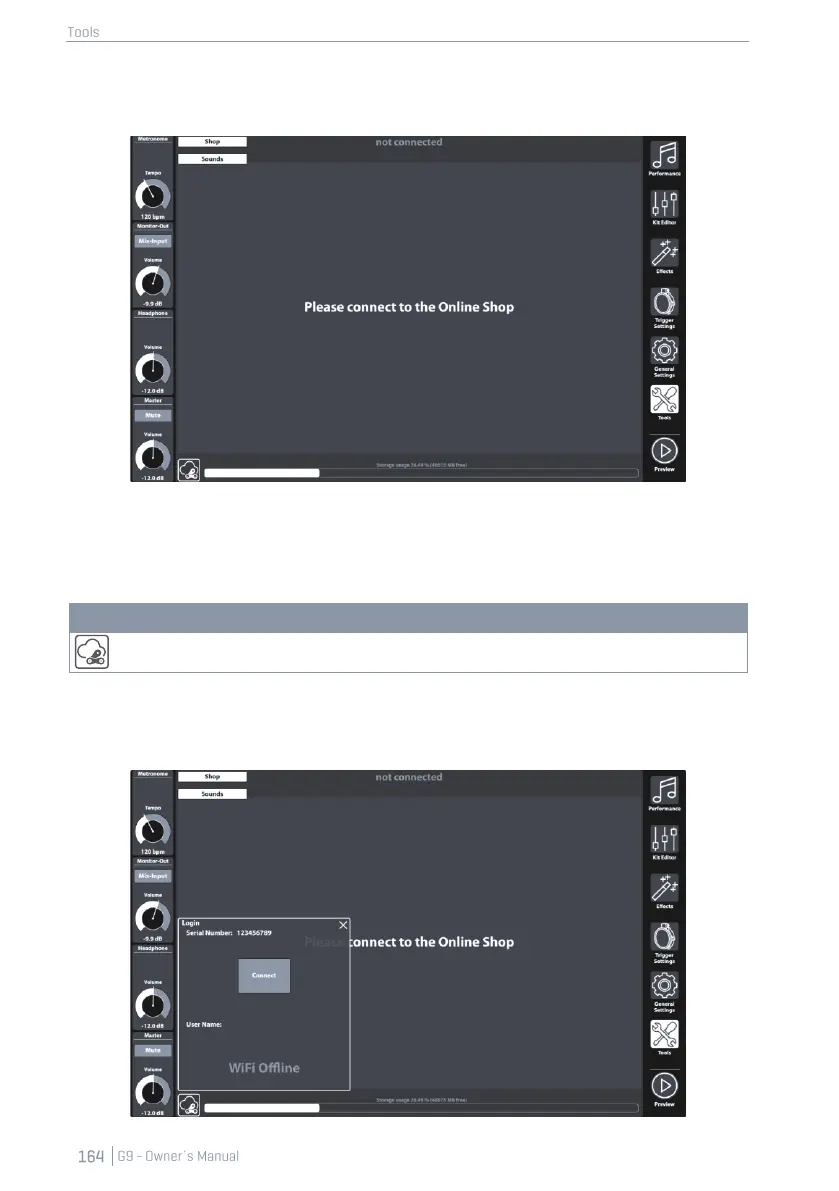
1. Go to Tools Shop to open the Cloud browser.
On start-up you are disconnected from the cloud by default and the landing page of the shop
browser asks you to connect you G9 to the Cloud.
2. Tap on the [Status] button in the bottom left corner of the shop screen.
Icons - Cloud
Status button (Tap for connection details)
This will call up the Login pop-up. The dialogue contains information about your login data, such as
Serial Number and the Username chosen during your registration. Highlighted in red you can ob-
serve the current status of your cloud connection, which should be not connected.

Other manuals for Gewa G9

Related product manuals