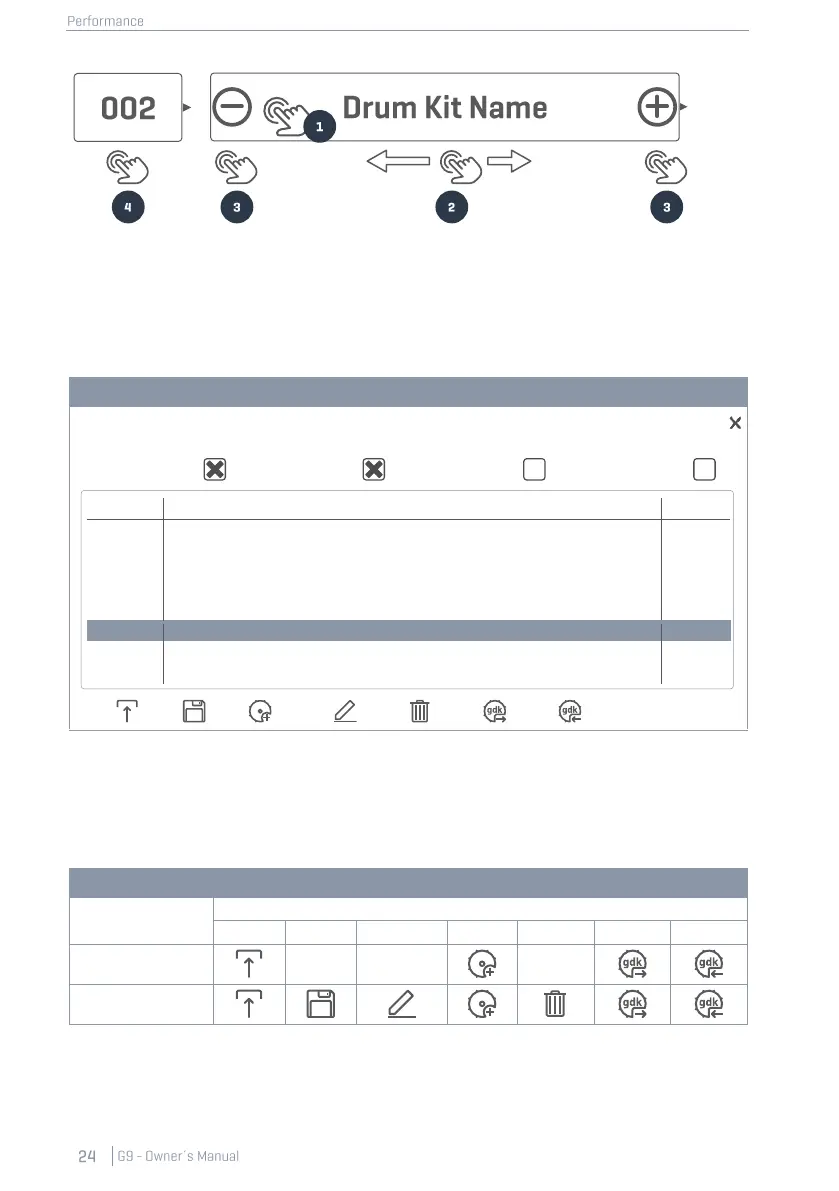
8.1.1.1 MANAGING DRUM KITS (PRESETS)
Tapping the [Drumkit Field] opens the Drum Kit Browser which provides a palette of functions to
manage your drumkit library including the drum kit export.
Depending on the set type (Factory or User Preset), the number of functions varies. In the Drum Kit
Browser, the corresponding category is shown in the right column of the kit list, whereas the feature
shelf is located at the bottom of the browser. The following table lists available functions by drum kit
category. Alternatively select drum kits of different categories and observe how the feature shelf
updates:
Preset Management – Drum Kit Browser
When applying one of these functions to a drum kit, it is important to understand what you are
creating, saving, importing or exporting. Drum kits as shown in the Drum Kit Browser are simply a
collection of drum kit related parameters stored in a table. These parameters define the sounds
used, but don´t store entire sound sample libraries. Especially when exporting a drum kit, it is crucial
User Drumkit Number 1 (Highlighted)



 To Next Page