8.3.1.2 SONG PLAYER FEATURES
With an audio file loaded you have access to a selected palette of functions that are designed to
accompany songs with the instrument as well as improving your practice routine.
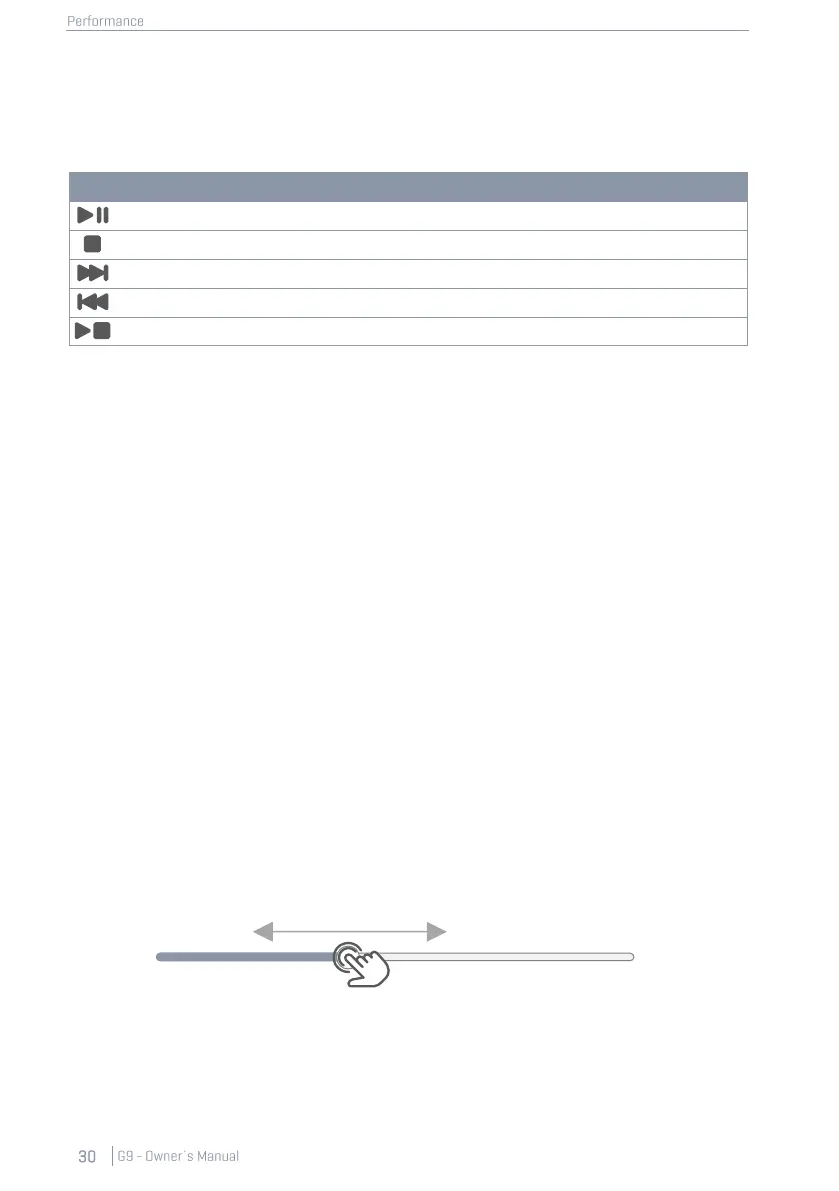
The main player buttons are shown in the following table:
State dependency when loading an audio file:
Whether a song starts directly after its selection depends on the state of the Play/Pause and Stop
buttons. the next selected song will start automatically if a song is already playing. In case of Pause
and Stop, the selected file will be loaded into the player, but only starts by tapping [Play] manually.
This property provides full control while practicing or being on stage (manual start in paused or
stopped state), and quick file changes in the playing state let the song player act as an ordinary
audio player.
Skip Buttons:
The behavior of skip buttons depends on the selected Play Mode as well as the state of Play/ Pause
and Stop buttons.
• Play Once or Loop Song active:
The song either starts from the beginning (Play) or the timeline is reset to zero and the
song starts at the beginning after tapping [Play] manually (Paused or stopped song).
• Loop Folder selected:
The player skips between all songs in the folder. Sorting settings made in the file select
browser apply.
8.3.1.2.1 TIMELINE
With a song playing or being stopped/paused, you can tap and drag the moving dot in the timeline
to jump to a passage of interest. Alternatively, pressing down on any point on the timeline will move
the dot to the area of applied pressure. Both methods work in every player state (play, pause, stop).



 To Next Page