Template Module, Version 1.2, 11.09.2018,
Local answer machine (if available)
Gigaset A690-A690A/AS690-AS690A / LUG-Kombi UK-IE/IM-Ost/GR en / A31008-M2816-L101-1-7619 / answering_A.fm / 2/
24
Recording time:
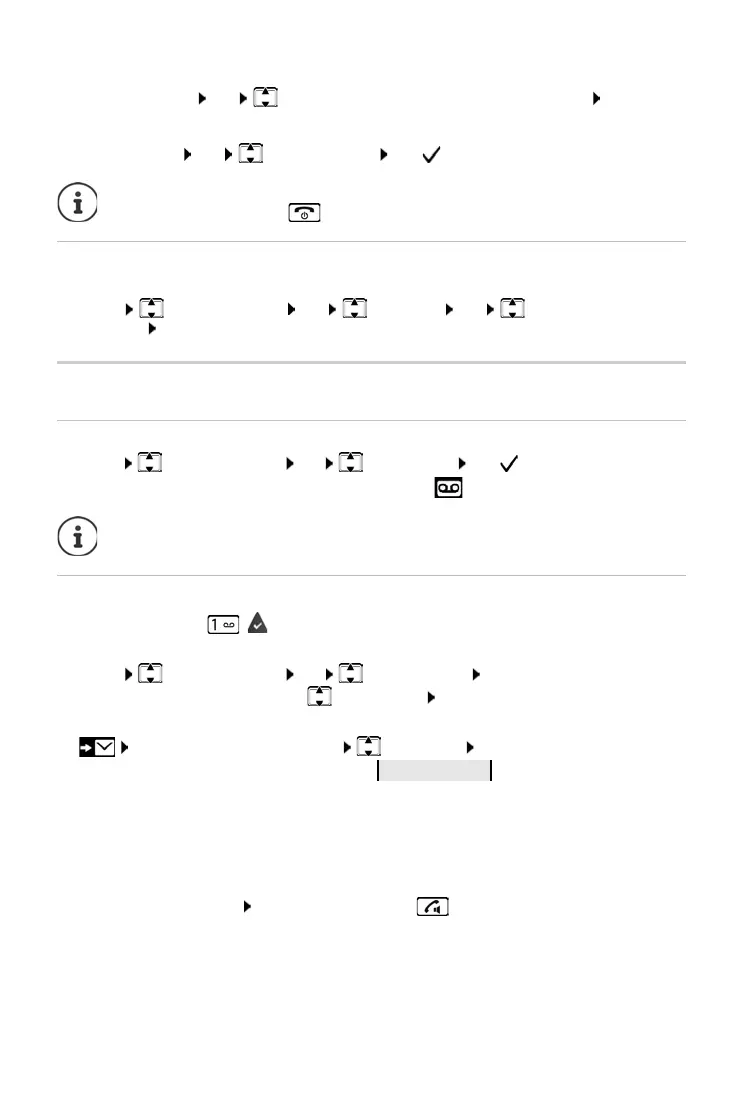
¤ Message Length OK Maximum / 1 Minute / 2 Minutes / 3 Minutes OK
Listening in during recording:
¤ Call Screening OK Handset / Base OK ( = enabled)
Setting a different language (if available)
You can change the voice prompt language and language of the standard announcement.
¤ Menu Answer Machine OK Language OK Select the
language OK
Operation using the handset
Enabling/disabling an answer machine
¤ Menu Answer Machine OK Answ. Mach. OK ( = enabled)
If the answer machine is enabled, the display shows icon .
Playing back messages
¤ Press and hold key ( key 1 is assigned to the answer machine)
or
¤ Menu Answer Machine OK Play Messages OK
If the network mailbox is enabled: Answ. Mach.
OK
or
¤ . . . The list selection is opened Answer M. OK
The answer machine list is shown as follows:
Number of new messages + number of old entries which have already been played back
If there are new messages, playback starts with the first new message, other
wise with the first
old message. First an info block is played, then the content. The display shows the caller's
number or the caller's name.
The handset loudspeaker switches on automa
tically.
Switch off the loudspeaker:
Press the handsfree key .
Disable listening in for the current recording:
¤ Press the End call key .
If the memory is full, the display shows
Memory full!
and the answer machine switches
off automatically. Delete old messages so that it switches on again automatically.



 To Next Page