Gigaset A690-A690A/AS690-AS690A / LUG-Kombi UK-IE/IM-Ost/GR en / A31008-M2816-L101-1-7619 / answering_A.fm / 2/
Template Module, Version 1.2, 11.09.2018
Local answer machine (if available)
25
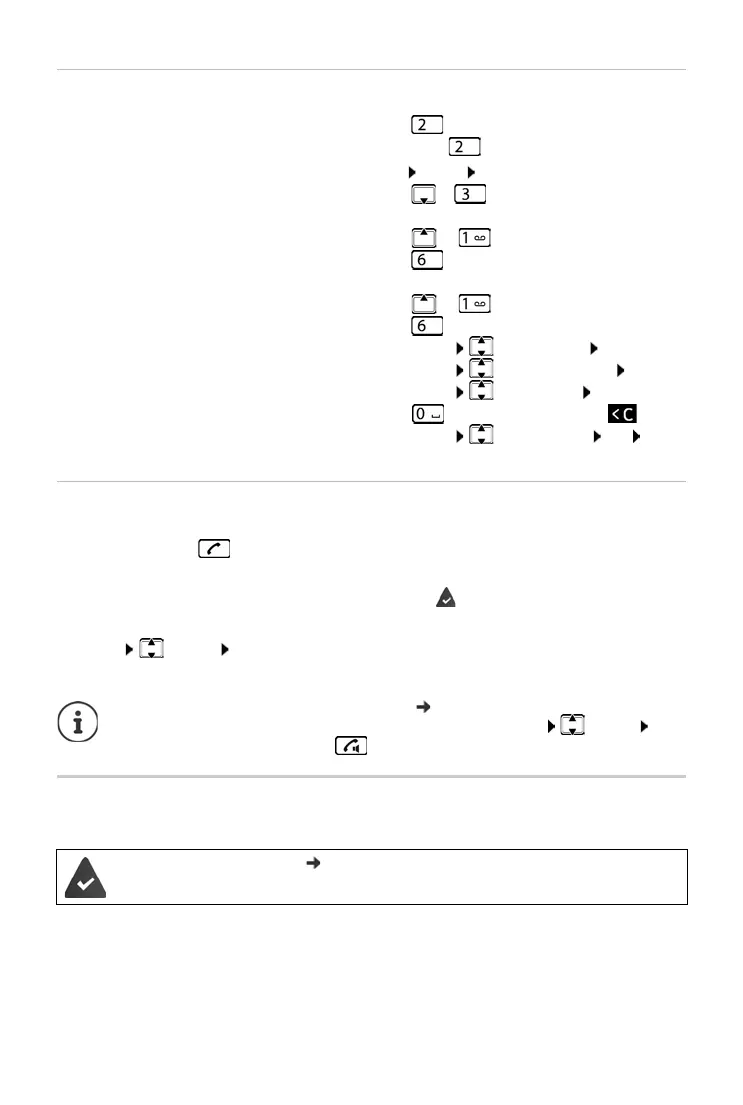
Actions during playback
Picking up a call from the answer machine
Even if the answer machine has already answered or is recording a call, you can still take it:
¤ Press the Talk key
or
¤ Remove the handset from the base / charging cradle ( Auto Answer is enabled)
or
¤ Menu Accept OK
Recording stops and you can speak to the caller.
Operation when on the move (remote operation)
You can check and enable your answer machine from any other phone (hotel, pay phone, etc.).
Stop playback:
¤
Continue playback:
¤ Press again
or
Menu Continue
Go to the next message:
¤ or
During playback of the info block
Go to the start of the previous message:
Skip the information block:
¤ or
¤
During playback of the content
Go to the start of the current message:
¤ or
Go to the content of the next message:
¤
Call back a caller: ¤ Menu Dial Number OK
Change volume:
¤ Menu Handset Volume OK
Copy a number to the directory:
¤ Menu Copy to Dir. OK
Delete a single message:
¤ or press the Display key
Delete all old messages:
¤ Menu Delete all old OK
Confirm the prompt
If Call Screening via the handset is enabled ( page 23) and the call can already be
heard through the handset, you can only take the call with Menu Accept OK.
Pressing the Talk/handsfree key only enables and disables handsfree mode.
The system PIN is not 0000 ( page 36).
The other phone has tone dialling (DTMF).



 To Next Page