Template Module, Version 1.2, 11.09.2018,
Overview
Gigaset A690-A690A/AS690-AS690A / LUG-Kombi UK-IE/IM-Ost/GR en / A31008-M2816-L101-1-7619 / overview_Kombi.fm
6
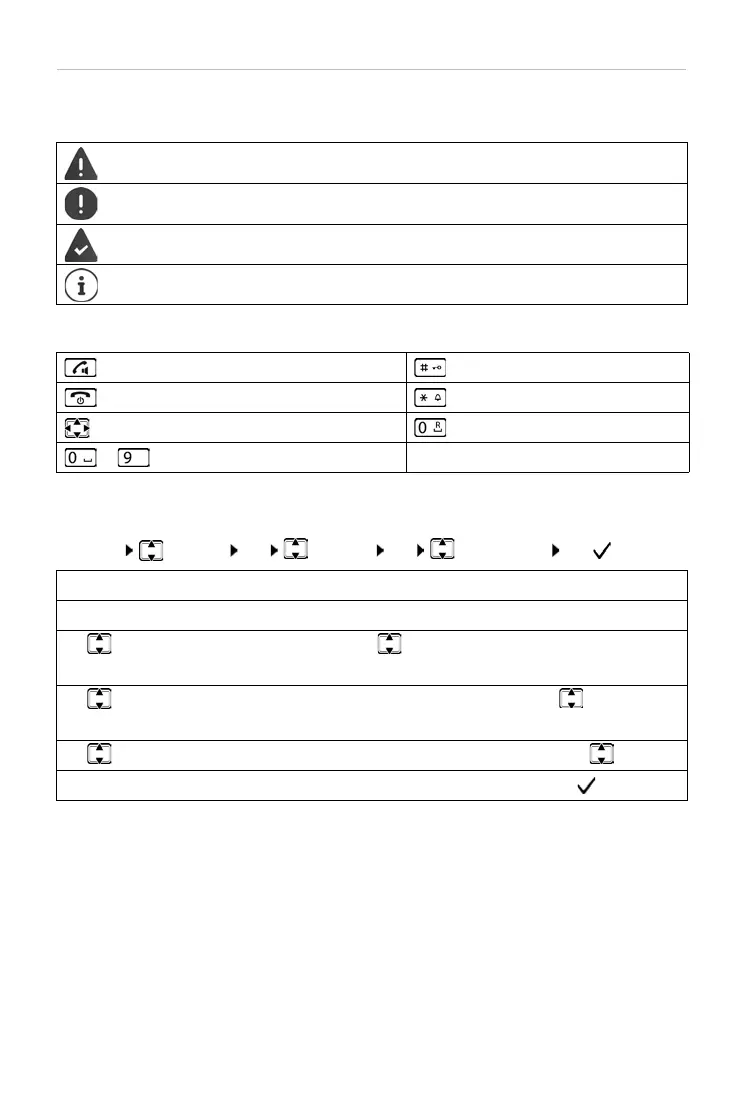
Symbols used in the user guide
Symbols
Buttons
Procedures
Example: Enabling/disabling Auto Answer:
¤ Menu Settings OK Handset OK Auto Answer OK ( = enabled)
Warnings, the non-adherence to which can result in damage to devices or personal
injury
.
Important information regarding function and appropriate handling or functions
that could generate costs.
Prerequisite for carrying out the following action.
Additional helpful information.
Talk/Handsfree key Hash key
End call key Star key
Control key Recall key
to Digit/letter keys Menu, OK Display keys
Step Actions required
¤ Menu Press the Menu display key.
¤ Settings
¤ OK
Use the control key to navigate to entry Settings.
Press OK to confirm. The Settings submenu is opened.
¤ Handset
¤ OK
Select the Handset entry using the control key .
Press OK to confirm. The Handset submenu is opened.
¤ Auto Answer Select the Auto Answer entry using the control key .
¤ OK Enable or disable it using OK. Function is enabled .



 To Next Page