Gigaset E290-E290A / LUG-Kombi CH en / A31008-M2901-F101-1-2X19 / answering_A.fm / 5/5/20
Template Module, Elderly, Version 1.1, 01.04.2019
Local answer machine (if available)
37
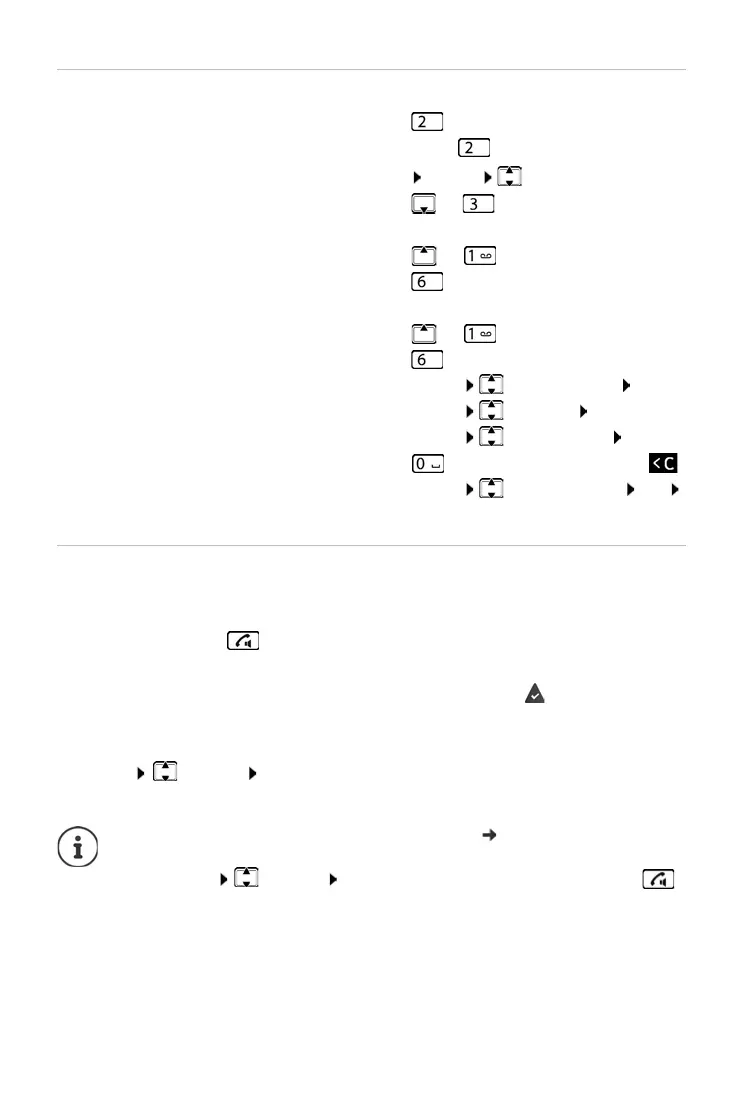
Actions during playback
Picking up a call from the answer machine
Even if the answer machine has already answered or is recording a call, you
can still take it:
¤ Press the Talk key
or
¤ Remove the handset from the base / charging cradle ( Auto Answer is
enabled)
or
¤ Menu Accept OK
Recording stops and you can speak to the caller.
Stop playback: ¤
Continue playback: ¤ Press again
or
Menu Continue
Go to the next message:
¤ or
During playback of the info block
Go to the start of the previous message:
¤ or
Skip the information block:
¤
During playback of the content
Go to the start of the current message:
¤ or
Go to the content of the next message:
¤
Call back a caller: ¤ Menu Dial Number OK
Change volume:
¤ Menu Volume OK
Copy a number to the directory:
¤ Menu Copy to Dir. OK
Delete a single message:
¤ or press the Display key
Delete all old messages:
¤ Menu Delete all old OK
Confirm the prompt
If C
all Screening via the handset is enabled ( p. 35) and the call can
already be heard through the handset, you can only take the call
wit
h Menu
Accept OK. Pressing the Talk/handsfree key
only enables and disables handsfree mode.



 To Next Page