Gigaset E290-E290A / LUG-Kombi CH en / A31008-M2901-F101-1-2X19 / overview_Kombi.fm / 5/5/
Template Module, Elderly, Version 1.1, 01.04.2019
Overview
9
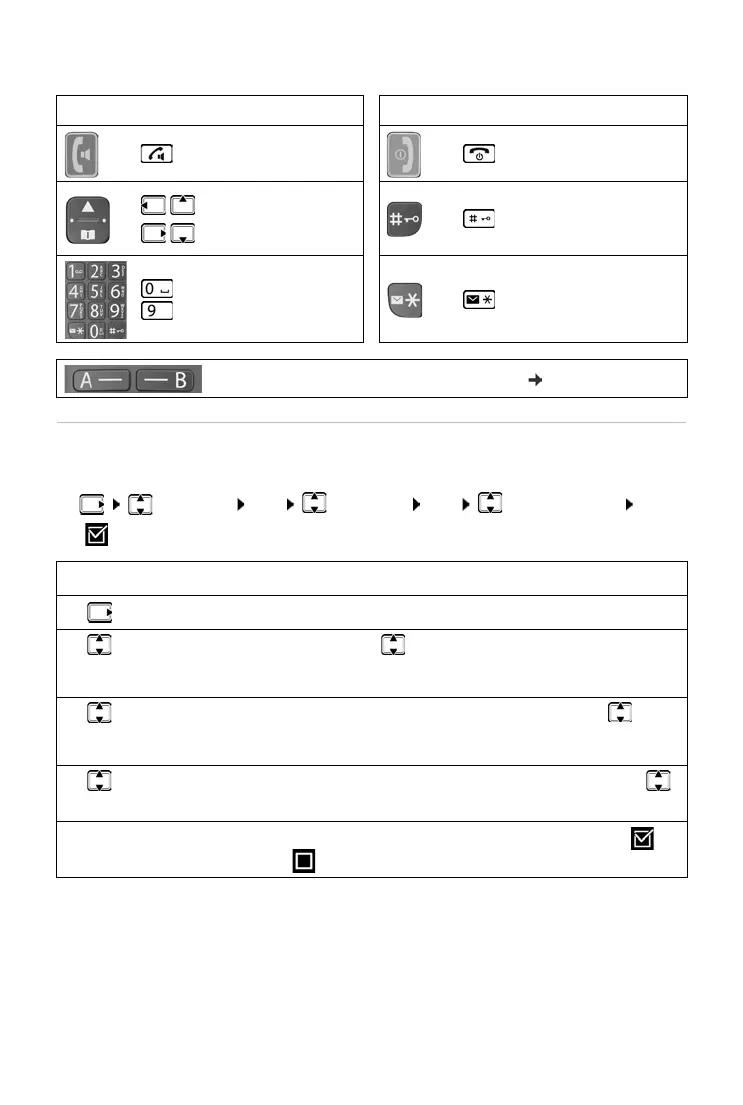
Buttons
Procedures
Example: Enabling/disabling Auto Answer:
Key Icon Meaning Key Icon Meaning
Talk/Handsfree
key
End call key
Control key left,
top
, right,
bottom
Hash key
to
Digit/Letter keys
Messages/Star
key
Display keys, dependent on situation p. 20
¤ Settings OK Handset OK Auto Answer OK
( = enabled)
Step Meaning
¤ Press right on the control key. The menu is opened.
¤ Settings Use the control key to navigate to entry Settings.
¤ OK Press OK to confirm. The Settings submenu is opened.
¤ Handset Select the Handset entry using the control key .
¤ OK Press OK to confirm. The Handset submenu is opened.
¤ Auto
Answer
Select the Auto Answer entry using the control key .
¤ OK Enable or disable it using OK. Function is enabled /
disabled .



 To Next Page