Gigaset E370A / LUG UK-IE en / A31008-M2841-L101-1-7619 / directory.fm / 9/14/17
Template Go, Version 1, 01.07.2014 / ModuleVersion 1.0
Directory
25
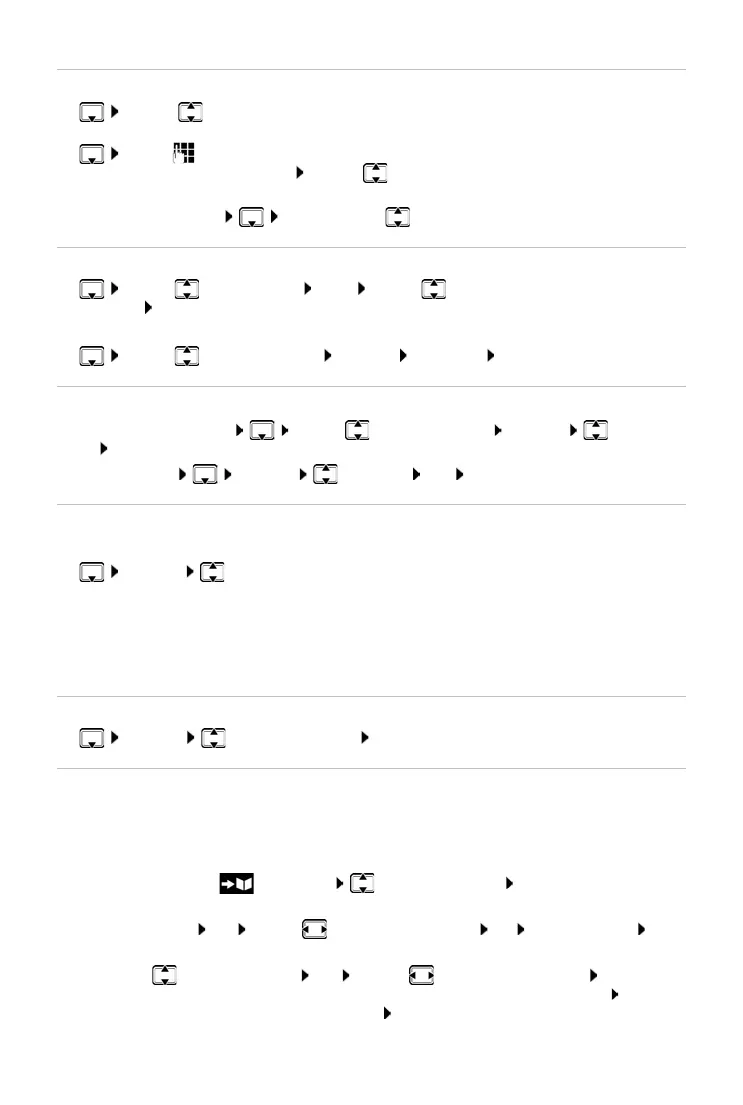
Searching for/selecting a directory entry
¤ . . . use to browse searched names
or
¤ . . . use to enter initial letters (max. 8 letters) . . . the display jumps to the first name
starting with these initial letters . . .
use to continue browsing to the desired entry, if
needed
Scroll through directory: Press and ho
ld
Displaying/changing an entry
¤ . . . use to select entry View . . . use to select the field to be
changed Edit
or
¤ . . . use to select an entry Options Edit entry OK
Deleting entries
Delete the selected entry: . . . use to select an entry Options Delete
entry OK
Delete all en
tries: Options Delete all OK Ye s
Setting the order of the directory entries
Directory entries can be sorted by first name or surname.
¤ Options Sort by Surname / Sort by First Name
If no name was entered, the default telephone number is shown in the surname field. These
e
ntries appear at the beginning of the list, regardless of how the entries are sorted.
The sort order is as follows:
Space | Digits (0-9) | Letters (alphabetically) | Other characters.
Displaying the number of entries available in the directory
¤ Options Available Memory OK
Copying number to the directory
Copy numbers to the directory:
• From a list e.g. the call list or the redial listWhen dialling a number
The number is displayed or highlighted.
¤ Press the display key or Options Copy to Directory OK . . . possible options:
Create a new entry:
¤ <New Entry> OK . . . use to select number type OK complete entry Save
Add number to an existing entry:
¤ . . . use to select an entry OK . . . use to select number type OK . . . the
number is entered or a prompt to overw
rite an existing number is displayed . . . if
required, answer the prompt with Ye
s /No Save



 To Next Page