RecordMode = Continuous
RecordNumberOfSequences = One
RecordTrailer = x (Range: 0.....RecordMaxFramesPerSequence-1)
RecordStart
...
RecordStop or a trigger signal (if RecordTrailer is unequal to
0, wait until the CameraState = Idle)(if it stops with a trig-
ger signal, give the RecordStop)
AcquisitionStop
Read the RecordNumberOfFrames and RecordNum-
berOfFramesPerSequence
4.3.3 Continuous recording - multiple sequences
The camera internal buffer can be subdivided into 2, 4, 8, 16 record sequences.
Each recording to a sequence buffer is done as described in the mode 'Continu-
ous Recording, single buffer' above.
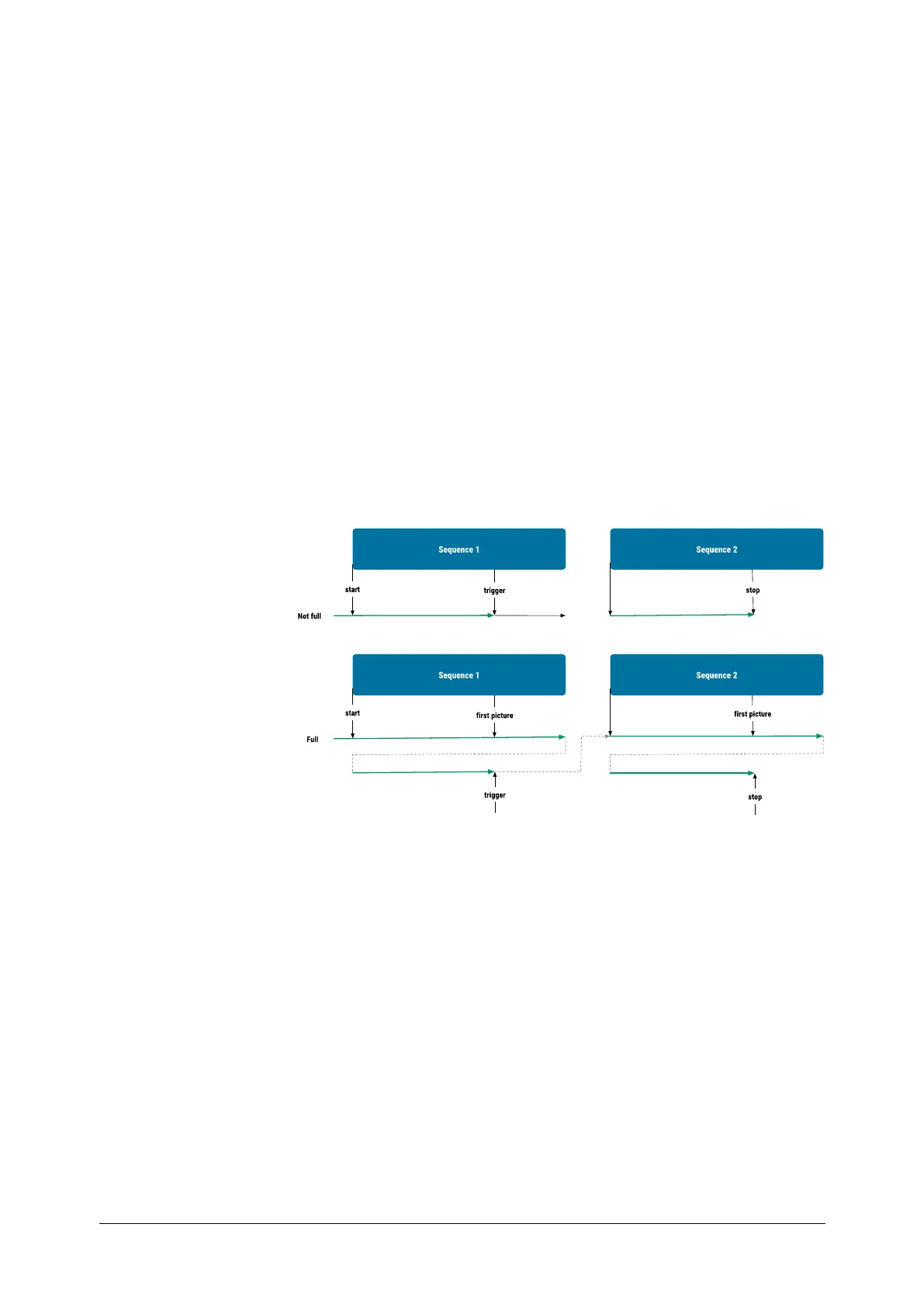
The difference to a single buffer recording is described by an example with 2
sequences in the example below:
Fig.: 4-2: Diagram of continuous recording with several sequences
The start of recording must be done per software (RecordStart), and the end
of the recording can be done per software or a trigger signal. But if a trigger
signal is used, you must give the camera a RecordStop after the CameraState
= Idle. The jump from one sequence to the next can only be done by the trigger
signals. But only one method can be used in once recording.
The programming flow of a continuous recording with more sequences is:
RecordMode = Continuous
RecordNumberOfSequences = Two,Four, Eight or Sixteen sequences
RecordTrailer = x (Range: 0.....RecordMaxFramesPerSequence-1)
RecordStart
...(jump with triggers)
RecordStop or a trigger signal (if RecordTrailer is unequal to
0, wait until the CameraState = Idle)
(if it stops with a trigger signal, give the RecordStop)
AcquisitionStop.
Programming
MikrotronGmbH / mini1 / CAMMC1370/71-RG / 2021 61 - 67


 To Next Page