ENUSER’S MANUAL ABS
82
TO INPUT THE TARE WEIGHT INSTANCE
KEY (ORDER) STEP EXPLANATION LCD SCREEN DISPLAY
MENU LEVEL
AND CODE
Press and Hold
[MENU] Key
1. Enter Into Menu
--node-
1 .
Short Press [CAL] Key 2. Display counting mode
-COUNT-
1 .1 .
Short Press [MENU]
Key Three Times
3. Display G/N/T weight weighing mode
Flash the G/N/T signal on the left side of window
-GNT-
1 .4 .
Short Press [CAL] Key
4. Enter into G/N/T mode
SAMPLE
1 .4.1
Short Press [MENU]
Key
5. Enter into G/N/T mode of input tare weight manually
INPUT
1 .4.1 .1
Short Press [CAL] Key
6. Input the tare weight manually (Example: 200g)
• Input way: Press [UNIT] key to move the flash digit,
press [PRINT] key to increase the number and press [CAL]
key to confirm
02000.000 g
Short Press [CAL] Key
7. Confirm the tare weight
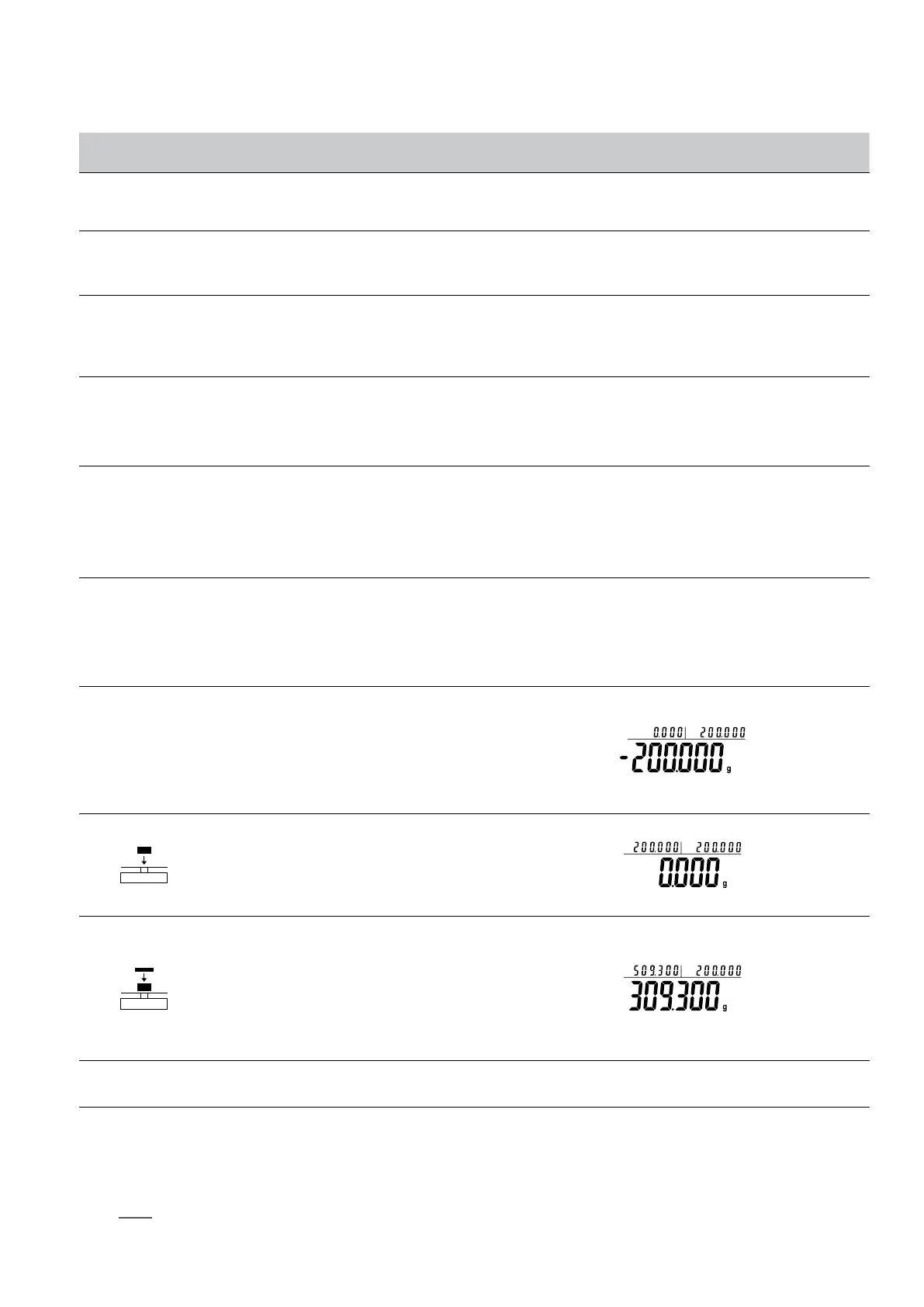
• Three position to display as:
Upper left display gross weight 0.000g, Upper right display
tare weight 200g, Main window display net weight: - 200.
OOOg
8. If put the sample of tare weight (Example:200g)
• Three position to display as:
Upper left display gross weight 200g, Upper right display
tare weight 200g, Main window display 0.000g
9. Put samples on pan and machine will display result. (Exam-
ple: 309.3g)
• Three position to display as:
Upper left display gross weight 509.3g, Upper right
display tare weight 200g, Main window display net weight:
309.300g
Press and Hold [TARE]
Key
10. Exit G/N/T weight weighing function
Quick restart: exit the present computing price and restart the new one. Press and hold (MENU) key can restart the step 1, short press (CAL)
to enter into step 3.
NOTE: The grey color words explain the signal’s meaning which flash on the window.



 To Next Page