77
ENUSER’S MANUAL ABS
6. OPERATE APPLICATION
6.1 COUNTING FUNTION
PURPOSE
Use this function can calculate the quantity with total weight divide by signal weight.
COUNTING INSTANCE: WITH KNOWN THE SAMPLE’S QUANTITY BUT UNKNOWN THE UNIT WEIGHT
KEY (ORDER) STEP EXPLANATION LCD SCREEN DISPLAY
MENU LEVEL
AND CODE
Press and Hold
[MENU] Key
1. Enter Into Menu
--node-
1 .
Short Press [CAL] Key 2. Enter into Counting Mode
-COUNT-
1 .1 .
Short Press [CAL] Key 3. Enter into Counting Program
SANPLE
1 .1 .1
Short Press [CAL] Key
4. Flash the sample quantity 20pcs(Example)
• Press [PRINT] key to cycle the sample quantity and
select O User can set the quantity manually:
• Press [UNIT] key to move the cursor and press
[PRINT] key to increase the number.
0000020 pcs
1 .1 .1.1
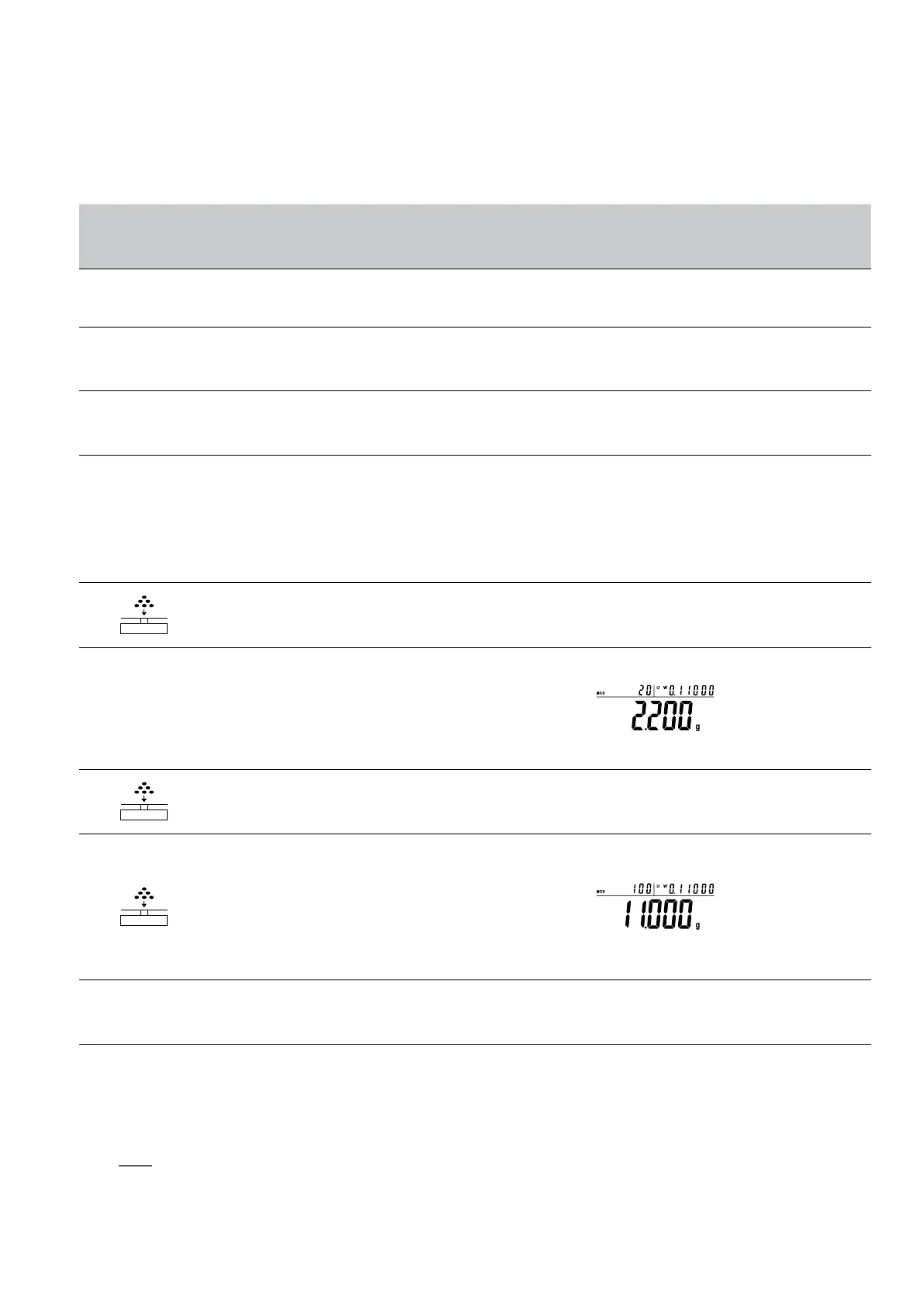
5. Put 20 pieces to platform or container (Example:
20pcs, unit weight:0.11g).
Short Press [CAL] Key
6. The display will show the result
• Three position to display the result as:
Upper left display quantity: 20pcs, Upper right
display unit weight: 0.11g, Main window display
total weight 2.200g
7. Take samples away
0.000 g
8. Put any unknown numbers of pieces on pan and will
display a count. (Example: put 100pcs, total weight 11 g)
• Three position to display the result as:
Upper left display quantity: 100pcs, Upper right
display unit weight: 0.11g, Main window display
total weight 1 1.000g
Press and Hold [TARE]
Key
9. Exit the counting function.
Quick restart: exit the present counting and restart a new counting. Press and hold (MENU) key can restart the step 1, short press (CAL) to
enter into step 3.
NOTE: The grey color words explain the signal’s meaning which flash on the window.



 To Next Page