85
ENUSER’S MANUAL ABS
6.6. DYNAMIC MEASUREMENT
PURPOSE
Operator can use this program to measure dynamic weight. The dynamic weighing way is summarize the weighing result from setting time and
average it
INSTANCE
Set 10 seconds for the dynamic weight material or variable weight material.
KEY (ORDER) STEP EXPLANATION LCD SCREEN DISPLAY
MENU LEVEL
AND CODE
Press and Hold
[MENU] Key
1. Enter Into Menu
--node-
1 .
Short Press [CAL] Key 2. Display counting mode
-COUNT-
1 .1 .
Short Press [MENU]
Key Five Times
3. Enter Into Dynamic Measurement
The signal hash on the upper left of window
dYNAMIC
1 .6.
Short Press [CAL] Key
4. Select Weighing Time
• Press [PRINT] key can cycle and select different weighing
time. (Second)
• Operator can set the weighing time by: Press [UNIT] key to
move cursor, press [PRINT] to select the target Number.
Td--- 10
1 .6.1
Short Press [CAL] Key
5. Confirm the weighing time
• Three position to display as:
Upper left display present weight, Upper right display the
setting time, Main window display: Start
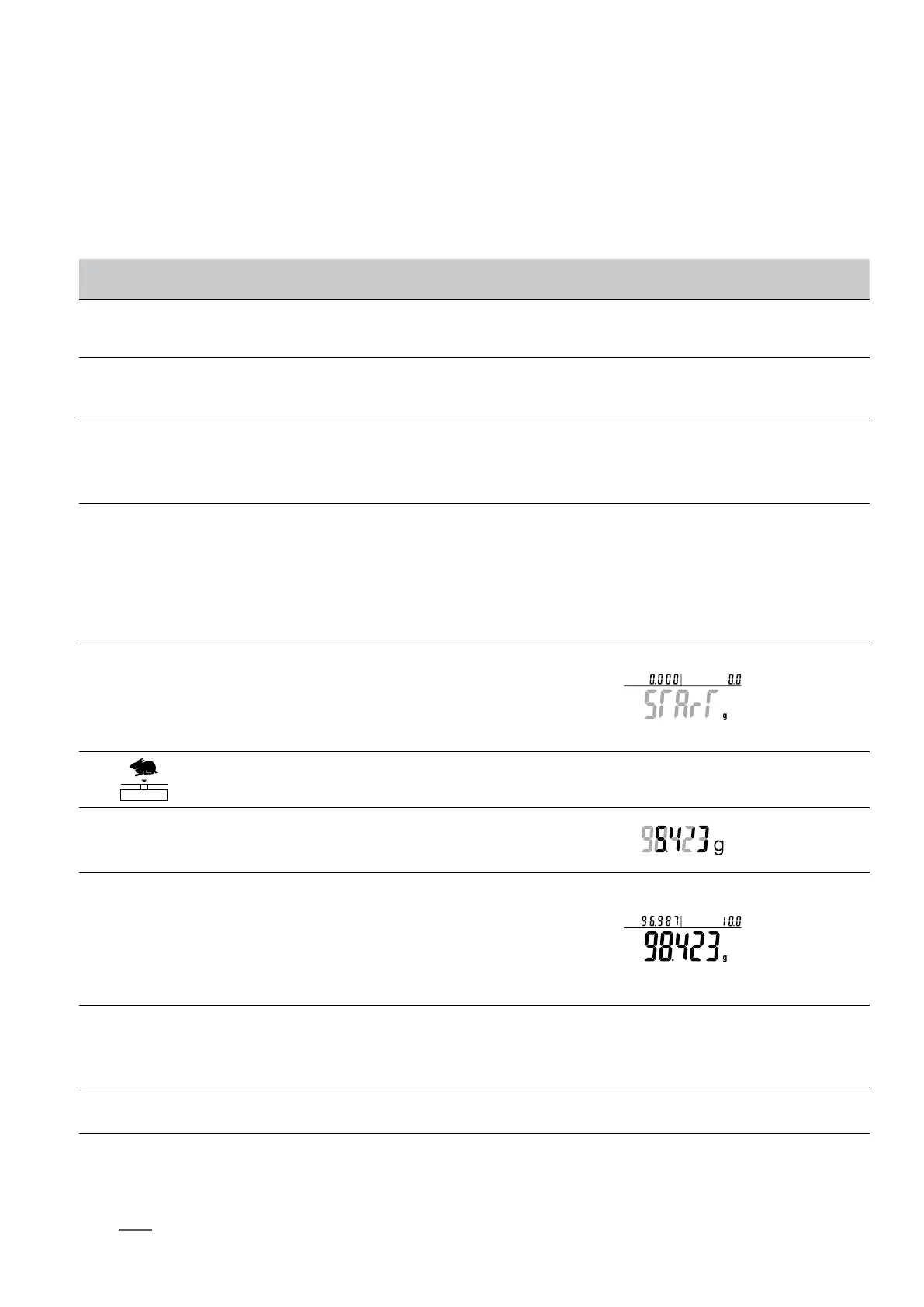
6. When display flash: START, put weighing sample on pan
STArT
Short Press [CAL] Key 7. Start to weigh for 10 seconds
Press and Hold [TARE]
Key
8. Average the weighing result automatically
after 10 seconds.
• Three position to display as (Example: 98.423g):
Upper left display the dynamic value, Upper right display
the weighing time, Main window displays the average
value.
9. Clear the weighing data
• (If need to measure different material, please repeat step
7-9.)
0.000 g
Press and Hold [TARE]
Key
10. Exit the dynamic measurement
• Quick restart: exit the present computing price and restart the new one. Press and hold (MENU) key can restart the step 1, short press
(CAL) to enter into step 3.
NOTE: The grey color words explain the signal’s meaning which flash on the window.



 To Next Page