79
ENUSER’S MANUAL ABS
6.2 COMPUTING PRICE FUNCTION
PURPOSE
Count total amount according to the known price and quantity.
INSTANCE
KEY (ORDER) STEP EXPLANATION LCD SCREEN DISPLAY
MENU LEVEL
AND CODE
Press and Hold
[MENU] Key
1. Enter Into Menu
--node-
1 .
Short Press [CAL] Key 2. Display counting mode
-COUNT-
1 .1 .
Short Press [CAL] Key
3. Display Computing Price Function Mode
Flash the signal of total and unit price on window upper
side
-PriCE
1 .2
Short Press [CAL] Key
4. Setting sample’s pricing weight (Example: 1g)
• Setting Way: Press [UNIT] key to move digit, press
[PRINT] key to increase the number and press [CAL]
key to confirm.
0001.000 g
1 .2.1
Short Press [CAL] Key
5. Setting sample’s unit price (Example: 3us dollar)
• Setting Way: Press [UNIT] key to move digit,
press [PRINT] key to increase the number and press
[CAL] key to confirm.
0003.00 g
1 .2. 2
Short Press [CAL] Key
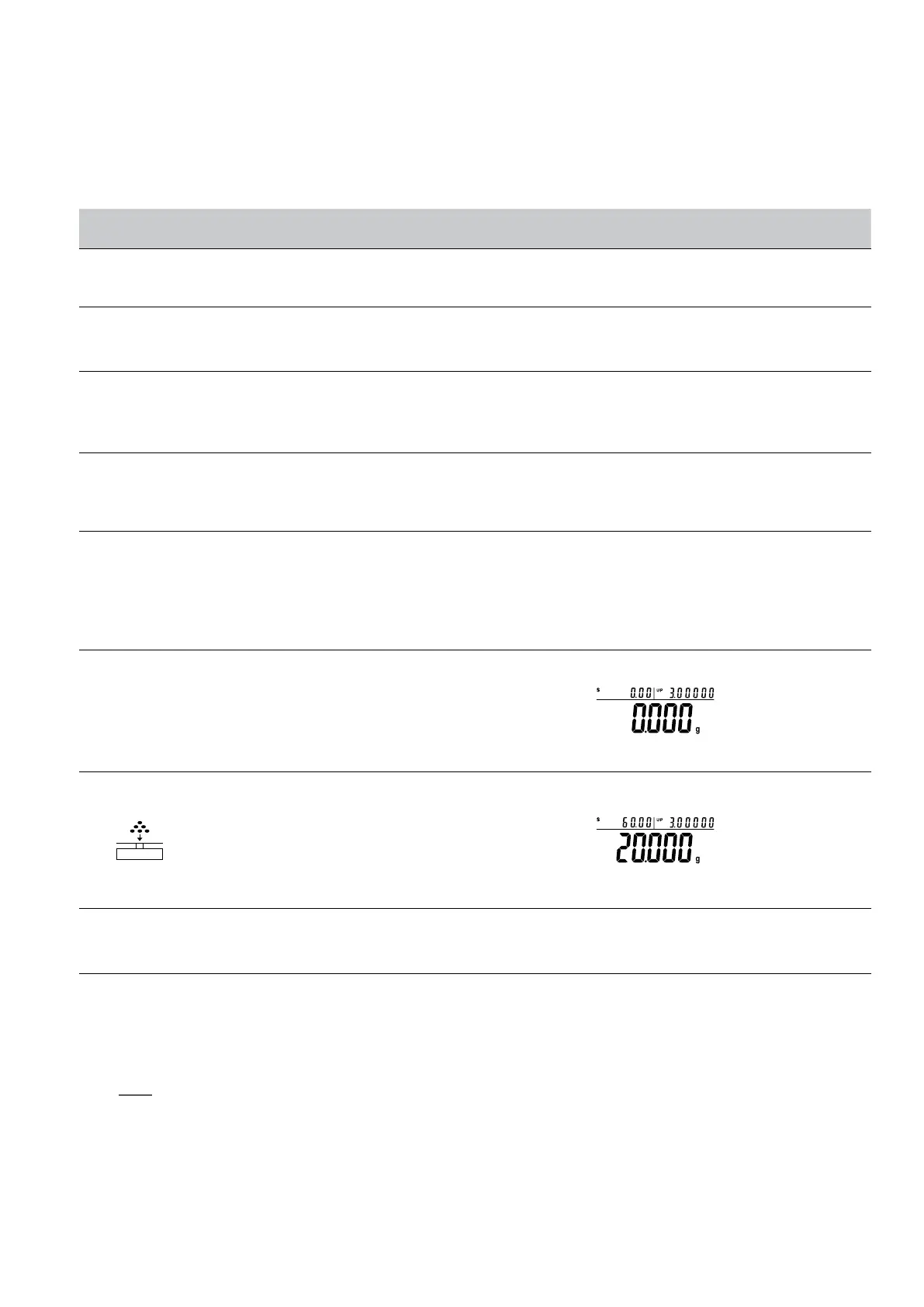
6. Confirm the sample’s pricing weight and unit price
• Three position to display as:
Upper left display total amount $0.00, Upper right
display unit price: $3.00, Main window display total
weight 0.000g
7. Put products on pan and machine will display result.
(Example:20g)
Three position to display as:
• Upper left display total amount $60.00, Upper right
display unit price: $3.00, Main window display total
weight 20.000g
Press and Hold [TARE]
Key
8. Exit the computing price function
Quick restart: exit the present computing price and restart the new one. Press and hold (MENU) key can restart the step 1, short press (CAL)
to enter into step 3.
NOTE: The grey color words explain the signal’s meaning which flash on the window.



 To Next Page