83
ENUSER’S MANUAL ABS
6.5. ACCUMULATE FUNCTION
PURPOSE
Weighing and accumulating the several sample’s total weight and tracing the detail data
KEY (ORDER) STEP EXPLANATION LCD SCREEN DISPLAY
MENU LEVEL
AND CODE
Press and Hold
[MENU] Key
1. Enter Into Menu
--node-
1 .
Short Press [CAL] Key 2. Display counting mode
-COUNT-
1 .1 .
Short Press [MENU]
Key four times
3. Display accumulate Menu
The signal flash on the upper left of window
-Add-
1 .5.
Short Press [CAL] Key
4. Enter into accumulate Mode
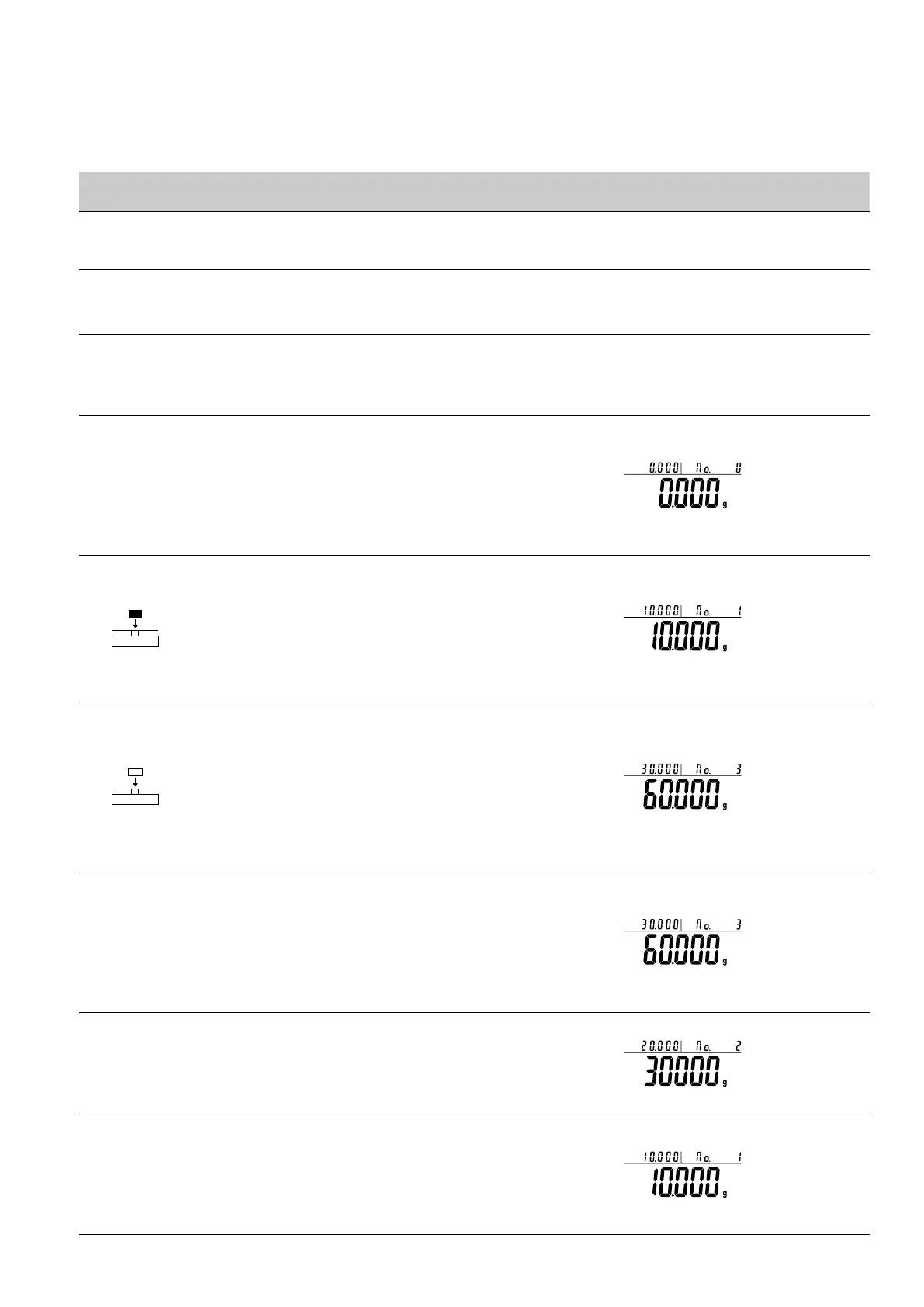
• Three position to display as:
Upper left display present weight 0.000g, Upper right dis-
play total time 0, Main window display total weight 0.000g
5. Put samples on pan and press [CAL] key to confirm weight
• Three position to display as: (Example: 10g)
Upper left display present weight 10g, Upper right display
total time 1, Main window display total weight 10.000g
6. Put sample several times and press [CAL] key each time
• Three position to display as (example: sample’s weight
is 10g, 20g, 30g):Upper left display present weight 30g,
Upper right display total time 3, Main window display total
weight 60.000g
• Under the accumulate mode, the accumulate weight can
be 9999999g, can accumulate 9999 times.ey to increase
the number and press [CAL] key to confirm.
Press [MENU] Key and
hold it, press [CAL]
Key, release two key at
the same time
7. Enter into tracing data function, the machine show the last
accumulate time’s data
• Three position to display as:
Upper left display present weight 30g, Upper right display
total time 3, Main window display total weight 60.000g
Short Press [UNIT] Key
8. Tracing the second last time’s weighing data
• Three position to display as:
Upper left display present weight 20g, Upper right display
total time 2, Main window display total weight 30. OOOg
Short Press [UNIT] Key
9. Tracing the first time’s accumulate data for INSTANCE
weighing
• Three position to display as:
Upper left display present weight 10g, Upper right display
total time 1, Main window display total weight 10. OOOg.



 To Next Page