87
ENUSER’S MANUAL ABS
Press [MENU] Key and
hold it, press [CAL]
Key, release two key at
the same time
8. Enter into tracing data function, the machine show the last
peak holding time’s data
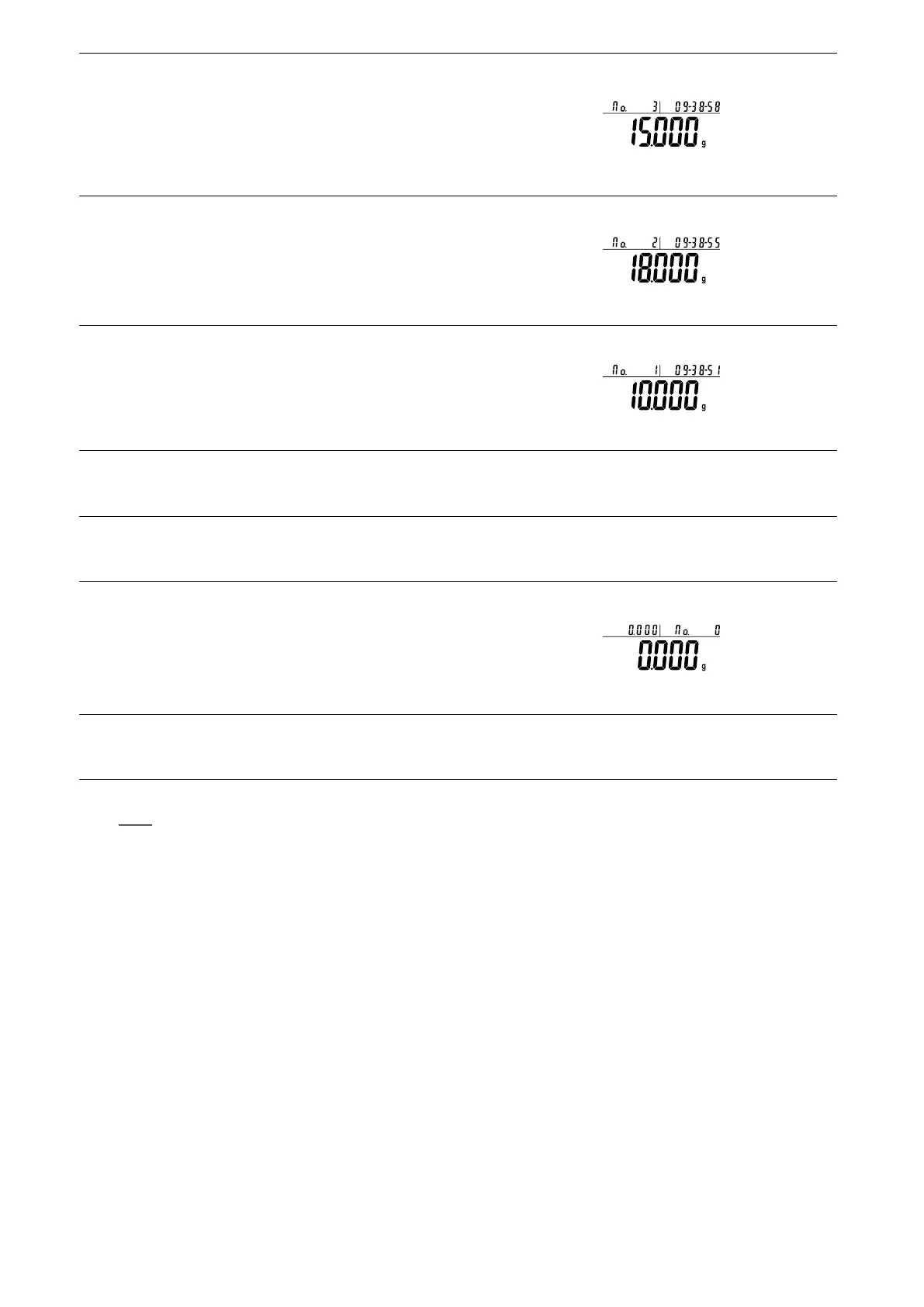
• Three position to display as:
Upper left display the weighing No.3, Upper right display
the time of that weighing, Main window displays the
weight of that weighing: 15g
Short Press [UNIT] Key
9. Tracing the second last time’s weighing data
• Three position to display as:
Upper left display the weighing No.2, Upper right display
the time of that weighing, Main window displays the
weight of that weighing 18g.
Short Press [UNIT] Key
10. Tracing the first time’s peak holding data.
• Three position to display as:
Upper left display the weighing No. 1, Upper right display
the time of that weighing, Main window displays the
weight of that weighing 10g.
Press (UNIT) Key and (PRINT) Key can view the different peak holding time’s result of present weighing.
Only can save and trace 100 times peak holding data. Machine can not save and trace if exit or restart the peak
holding.
Press and Hold [TARE]
Key
11. Quick restart way: exit the present peak holding and restart
the new one
• Three position to display as:
Upper left display the present weight, Upper right display
the number of weighing, Main window displays the max
weighing weight.
Press and Hold [CAL]
Key
12. Exit the peak holding function
NOTE: The grey color words explain the signal’s meaning which flash on the window.
.
• Quick Restart: exit the present peak holding and restart the new one, press and hold (MENU) key can restart the step 1, short press (CAL)
to enter into step 3.



 To Next Page