Rev.: 4, Print date: 2021-05-05
25
NL95
NETWORK
REMOTE CONTROL
Remote address :
Remote Port :
IP address :
Subnet mask :
Default gateway :
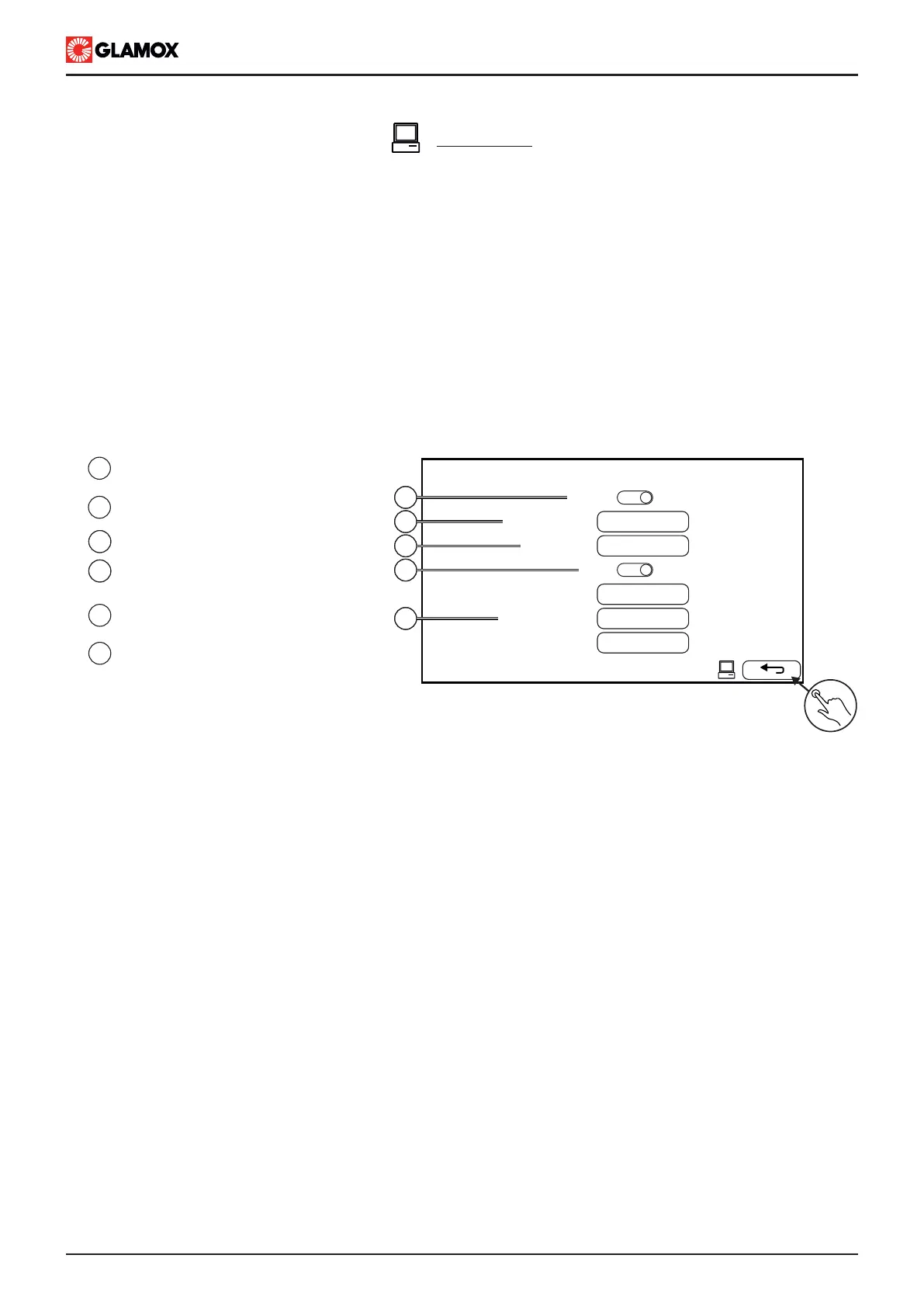
6
1
Enable or disable remote control
MODBUS communication
2
Main unit MODBUS address
3
MODBUS TCP port number
3
6
Return back to configuration main
screen
3
Enable or disable Main Unit
DHCP protocol
4
5
Main Unit network configurations
Enabled :
Remote Control, Modbus TCP/IP Interface:
1
502
192.168.1.1
255.255.0.0
192.168.1.100
DHCP :
1
2
3
4
5
Main unit comes with integrated MODBUS RTU protocol, which allow to monitor and control navigation and
signal lights system,
Enabling remote control from Configurations / Network will allow clients to request (i.e. modbus read function)
lights status, system status and groups turned on.
Enabling remote control from Operation Main Menu / Remote Control will allow clients to control (i.e. modbus
write function) lights, groups and acknowladge alarms.
Main unit comes with LAN connection and MODBUS RTU over TCP/IP communication, while for diffrent media
as RS485 or RS232 available on request.
Supported modbus function listed in appendix.
In Network screen user can configure the following:


 To Next Page