Rev.: 4, Print date: 2021-05-05
19
NL95
S
S
S
S
S
SELECT LIGHT NAME
S
S
S
S
S
M
M
M
M
M
M
M
M
M
1. ANCHOR FWD
9. STERN
4. PORT
+
-
PROPERTIES :
1.
ANCHOR FWD
POSITION :
LIGHTS
6
2
1
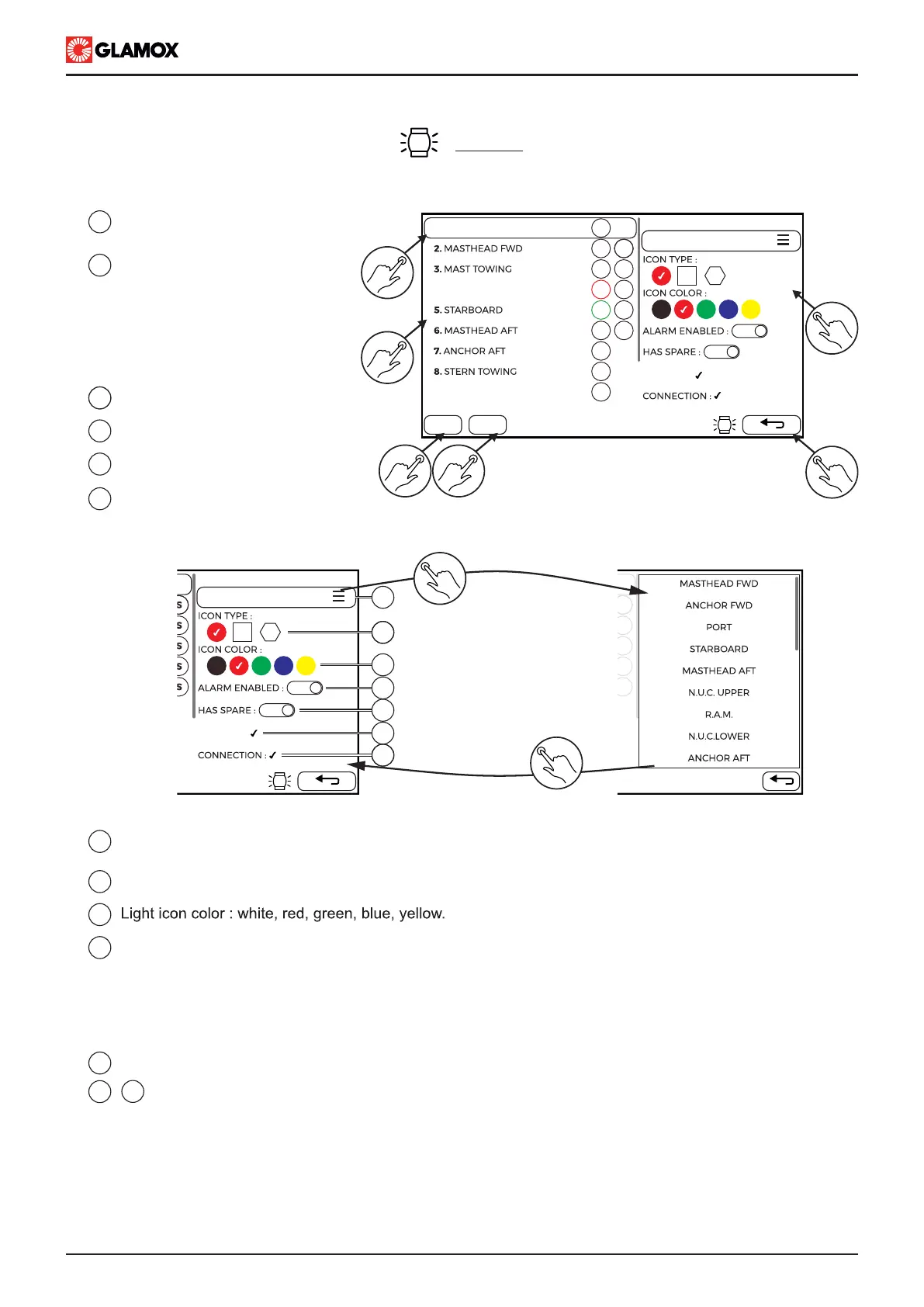
Tap on light name to select it
and view its properties
1
2
3
Scrollable configured lights list
which shows light:
- Number
- Name
- Double or Single
- Icon shape
- Icon color
Add new light below the selected light
3 4
3
4
5
6
Delete selected light
Return back to configuration main
screen
Properties of selected light
PROPERTIES :
1.
ANCHOR FWD
POSITION :
5
7
8
9
10
11
12
13
Tap on list icon to
select name from the list
Select name or
Tap on return key
7
8
9
10
Tap on light name to enter name via keyboard
Tap on list icon to select name from list
Light icon shape: circle, rectangle, hexagon.
Alarm: enable, disable. This function is related to light failure monitoring and alarming it in case of
failure detection.
If ALARM is DISABLED, alarm will not be initiated.
IMPORTANT!!! As per rules and regulations for navigation and signal light, alarm must be enabled!!!
4.3 Configuration screens
In this screen, all lights with their properties, that will be used in the system, need to be added
11
Selection if light has a spare
12
Information of light has been assigned with position on mimic and connection on Input module
13


 To Next Page