INSTALLATION
INTRODUCTION
This section covers the physical installation of the system. It primarily focuses on the parts that are required and how they
should be connected together. Do not connect the mains power or the batteries at this stage; commissioning the system is
covered in the next section of this manual. Installation should always be performed in accordance with a system plan.
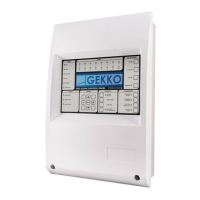
CONTROL PANEL
The control panel should not be located where access to the internal components are restricted and where the unit is
exposed to high levels of temperature, moisture, vibration and shock.
Any metal swarf could damage the PCBs. If any metal is present when the system is powered up, it is recommended that all
PCBs are removed from their box whilst the box is being installed. Make a note of the positions of the PCBs before power up
the system.
Mains Power connection
All panels must be earthed. The LIVE connection must be made to the fused input on the power supply module. This input
will have a Black or Brown wire leading into the power supply unit.
The input with a Blue wire leading into the power supply unit is the NEUTRAL.
Other Panel connections
These are detailed in the relevant following sections. Most connections are made from the GEKKO mainboard.
REPEATERS
Since all Chameleon Network panels follow a “multi-master” paradigm the CHAMELEON REPEATER is also a global
system repeater and not a specific “panel” repeater. By this reason, CHAMELEON REPs are installed in a similar manner of
a normal network panel with loops.
NOTE:
Each CHAMELEON REP will occupy a network address, just as a normal panel.
The CHAMELEON REP don’t have a dedicated power supply. Each NODE+ (or OCTO+), is able to supply power to four
repeaters. For more units an external power source must be added.
The CHAMELEON REP should not be located where access to the internal components are restricted and where the unit is
exposed to high levels of temperature, moisture, vibration and shock.
Avoid placing the CHAMELEON REP in direct sunlight as this may impair reading of the LCD display.
Any metal swarf could damage the PCBs. If any metal is present when the system is powered up, it is recommended that all
PCBs are removed from their box whilst the box is being installed. Make a note of the positions of the PCBs before power up
the system.
PANEL CONNECTIONS


 To Next Page