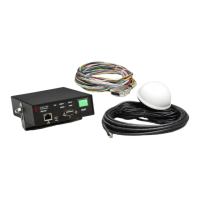
Vehicle Equipment Installation Instructions 1
1 About This Manual
1.1 Purpose of Manual
This manual provides step-by-step instructions for
installing the Global Traffic Technologies
Opticom™ GPS System* vehicle equipment. It is
intended for use by installers, maintenance
personnel, and others who are responsible for the
installation and maintenance of the system.
1.2 Manual Conventions
The conventions listed in Table 1-1 help to
make this manual easier to use by presenting a
uniform approach to the descriptions, phrases,
and nomenclature.
1.3 Related Publications
Opticom™ GPS System Intersection Equipment
Installation Instructions.
Opticom™ GPS System Operation Manual.
1.4 Manual Organization
This manual is divided into eight sections.
Section 1. About This Manual
Contains information about the organization and
content of this manual.
Section 2. Safety Information
Contains important information about the safety
messages, safety labels, safety precautions, and
procedures for installation of this device.
Section 3. Description
Briefly describes the vehicle equipment and
related system components.
Section 4. Features
Describes important features and
characteristics of the vehicle equipment.
Section 5. Installation
Contains step-by-step installation instructions.
Section 6. Checkout
Contains information on how to check out
and test the installed system.
Section 7. Troubleshooting
Contains problem solutions to troubleshoot
the installed system.
Section 8. Maintenance
Contains information and recommendations to
ensure reliable system operation.
Table 1-1. Manual Conventions
Element Convention Example
Names First or formal reference: initial
caps
Opticom™ GPS System Vehicle
Radio/GPS Unit
Subsequent use or informal
reference: lowercase
radio/GPS unit
Feature names Initial caps the Disable feature
Switch position Uppercase the OFF position
*The method of using the components of the Opticom GPS system may be covered by one or more of US
Patent Numbers 5539398, 5926113, 5986575, 6243026.



 To Next Page