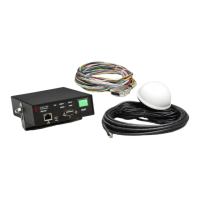
Vehicle Equipment Installation Instructions
19
5.5.1 Turn Signal Sensing Connections
The turn signal sensing circuit operates by
detecting the change of state or flashing of the
vehicle’s turn signal circuits. If the turn signal
sense circuit detects both the left and the right
signal sense lines changing or flashing, the
vehicle equipment will transmit that it is going
straight.
This can be verified by monitoring the turn signal
inputs with the View Inputs Sensing screen or
vehicles heard screen in ITS Explorer.
1. Activate the left turn signal.
2. Press the brake pedal.
3. If you see the right (opposite) turn signal sense
change from active to inactive or vice-versa.
You will need to find another place to
connect to the vehicles turn signals.
Note: there is a 3 second delay before the turn
signal status will register. Press the brake pedal
several times and hold it for at least 3 seconds.
This occurs because; in some vehicles the brake
light bulb is shared with the turn signals. If this is
the case, applying the brakes while either turn
signal is on will cause the turn signal sensing
circuit to think that both inputs are active and
cause the vehicle to transmit that it is going
straight.
Therefore it is recommended that the yellow and
green turn signal sense lines be connected only to
the front turn signal wires.
1. Connect the yellow wire from the harness to
the vehicle’s front left turn signal line.
2. Connect the green wire from the harness to
the vehicle’s front right turn signal line.
5.5.2 Additional Vehicle Connections
1. Connect the white wire to a switch that
actuates when the driver reaches the scene
and steps out of the vehicle. For instance, this
could be a door switch. The switch may
provide either +12 VDC or a ground. You
will need this information to set the Operating
mode (see Section 6.1, Configuration Setup
and Checkout).
Note: If the white disable line is not to be used it
is recommended that this wire be connected to
Ground. The disable mode should then be set to
Ground -> 12VDC and non-latching.
2. Connect the blue wire to one of the provided
fuse holders. Connect the other end of the
fuse holder as described in either step a or b
below.
Do not install the fuse yet.
a. Connect the fuse holder to a point that
provides +12 VDC only when the lightbar is
turned on. This enables the driver to activate
the system when the lightbar is on by pushing
the ON/OFF switch on the control unit to the
ON position.
b. Connect the fuse holder to a point that
provides +12 VDC when the ignition switch is
in the RUN position. This enables the driver
to activate the system when the ignition
switch is on by pushing the ON/OFF switch
on the control unit to the ON position.
3. Install the fuse rating label on the blue wire
near the fuse holder.
4. Connect the red wire to the provided fuse
holder. Connect the other end of the fuse
holder to a +12 VDC power source that
provides at least 2 amps at all times. In order
for the GPS receiver to maintain an accurate
location, the receiver requires a constant +12
VDC power source.
GTT recommends using a direct connection to the
battery. If this is not possible, use a terminal
block with a direct connection to the battery.
Do not install the fuse yet.
5. Install the fuse rating label on the red wire
near the fuse holder.
6. Connect the black wire to vehicle chassis
ground (DC–). Again, it is recommended that
this connection be made directly to the
battery or to a terminal block with a direct
connection to the battery.
7. Verify that the control unit on/off switch is set
to the OFF position.
8. Inspect all connections and verify that the
wiring is complete and accurate as described
in this installation manual.
9. Install the fuses (2A, 250V) in the fuse holders.
10. Connect the vehicle’s positive battery cable,
then connect the negative battery cable.



 To Next Page