Section
3394RT---6094RT Scissor Lifts - Operator’s Manual Page 16
Preheat Table
Ambient Temperature Preheat Time
Above 50°F (10°C) 5 s
50°F to 23°F (10°C to -5°C) 10 s
Below 50°F (-5°C) 20 s
20 Seconds = Limit of Continuous Use
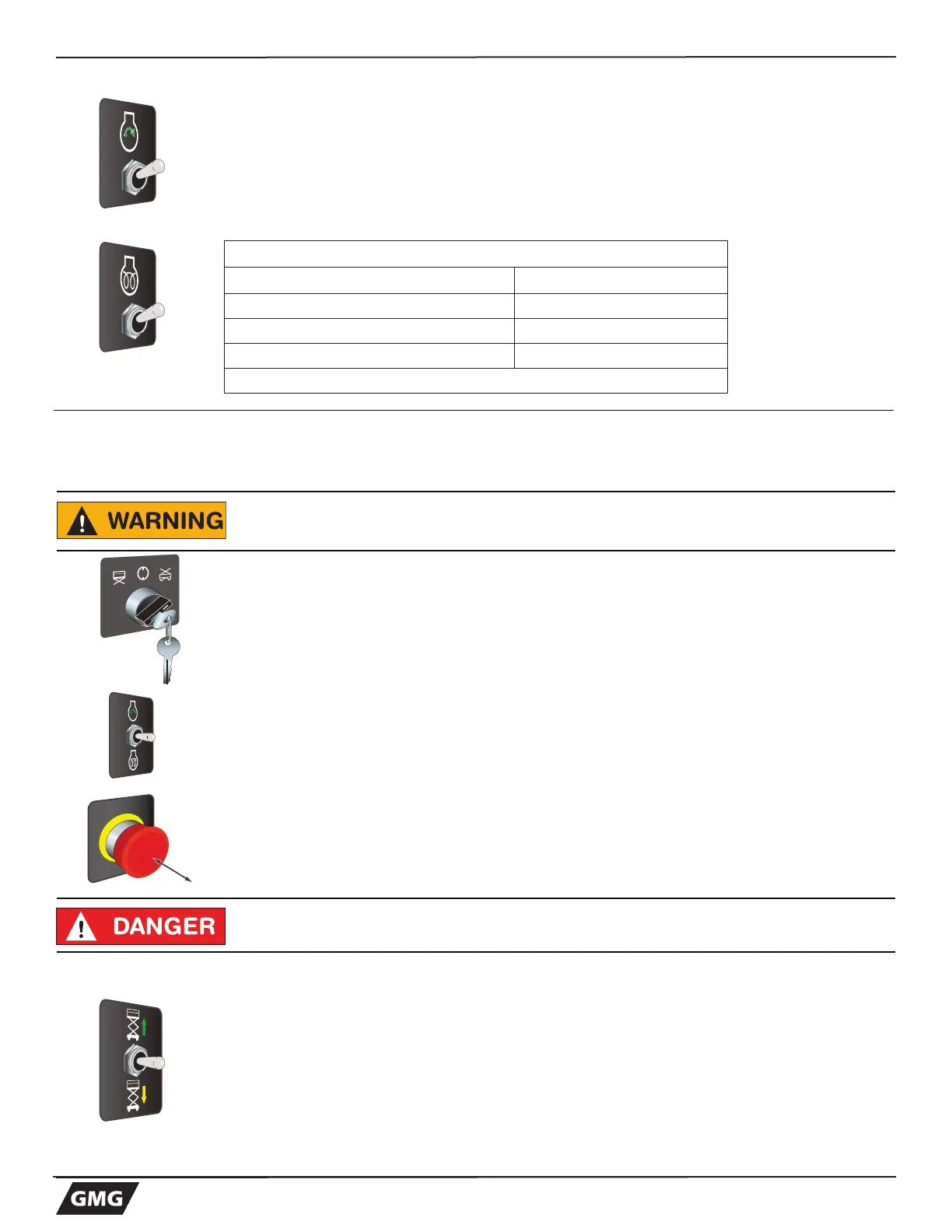
1. Press and hold the START switch in the UP posiiton- release the switch when the
engine starts
Cold Start:
• Press DOWN and hold the START switch as indicated in the Preheat table below.
• After the preheat time is completed press UP and hold the START switch –
release the switch once the engine starts.
6 - Function Tests and Operating Instructions
Base Controls Operation and Test
Elevate Platform
• Press and hold the LOWER / RAISE switch in the UP position on the control
panel to elevate the platform.
Test Operation
• Elevate to maximum height.
Note: Platform will not elevate beyond 35 ft. (10.6 m) without the outriggers
deployed
• Releasing the button will stop elevation.
• Pressing the Emergency Stop Switch will also stop elevation.
Select BASE Operation
Check that the area above and around the machine is clear from obstructions,
electrical power lines, debris, holes, and persons, before operating the machine
Be sure that the upper and lower EMERGENCY STOP Switches are reset (out).
From the Lower Control Box:
Turn Key Switch to the RIGHT, selecting the BASE position
Operate from BASE
• Press and hold the START switch in the UP posiiton- release the switch when the
engine starts
Emergency Stop
• Press the EMERGENCY STOP switch at any time to stop all machine functions.
• Pull switch OUT to reset.
Do not elevate the platform if the machine is not on a firm level surface.



 To Next Page