46
Basic Bot Guide
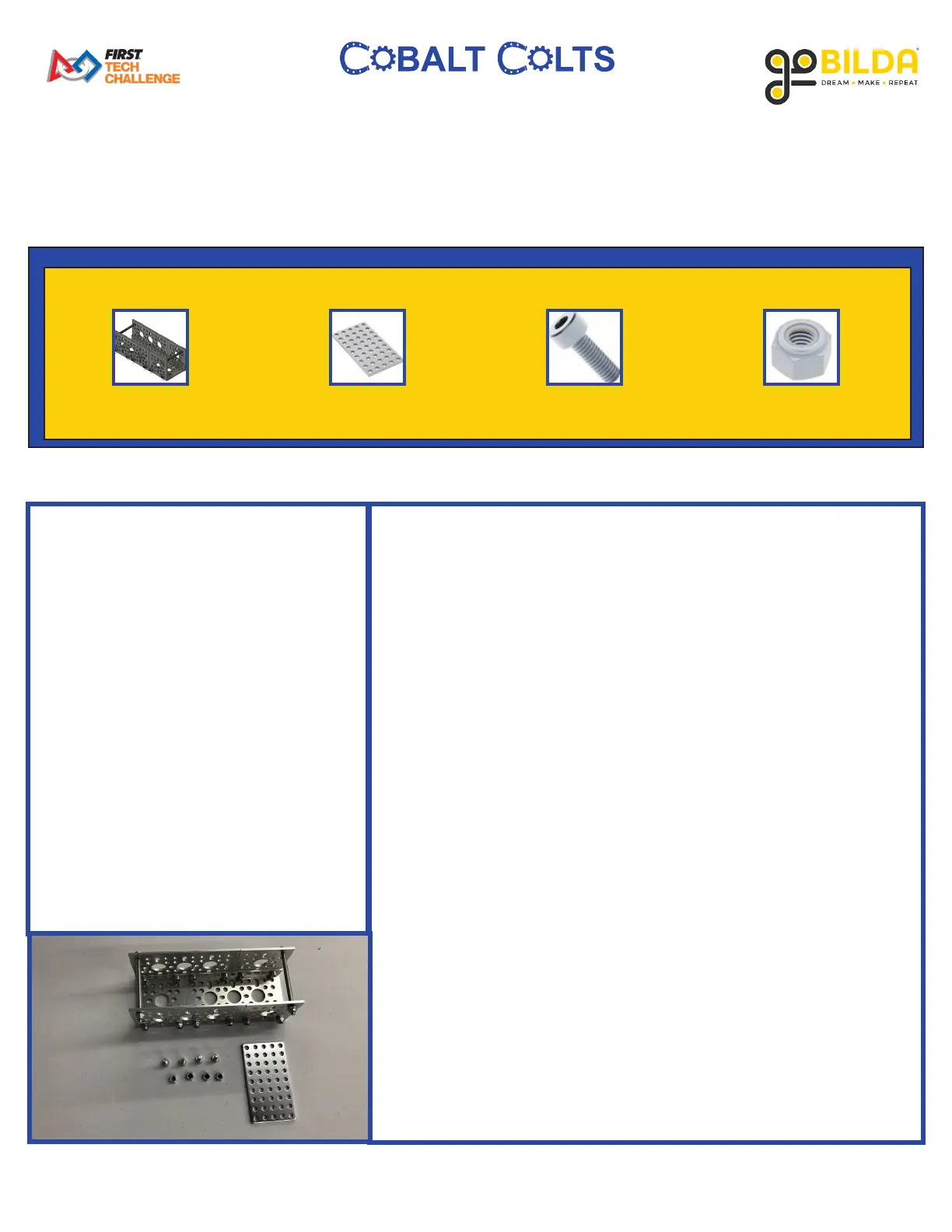
13: Attaching Battery Mount
x1
Step 12 1116 2800 2812
x1 x4 x4
PARTS REQUIRED:
• x1 Battery Mount from Step 12
• x1 1116 Series Grid Plate (5 x 9
Hole, 40x 72mm)
• x4 2800 Series Zinc-Plated Steel
Socket Head Screw (M4 x 0.7mm,
12mm Length)
• x4 2812 Series Zinc-Plated Steel
Nylon-Insert Locknut (M4 x
0.7mm, 7mm Hex)
INSTRUCTIONS:
A. On the opposing side of the robot to where the Phone Mount
is positioned, place 1 5 x 9 Hole Grid Plates between the 5 x 5
Hole Grid Plates and 3 x 5 Hole Grid Plates of the REV Hub
Plate as shown.
B. Place the Battery Mount assembly on top of the Grid Plates and
position it as shown.
C. Using 4 M4 12mm Socket Head Screws and 4 M4 Locknuts,
attach the Battery Mount to the drivetrain as shown.



 To Next Page