31
Auto - Ca lib ra tio n
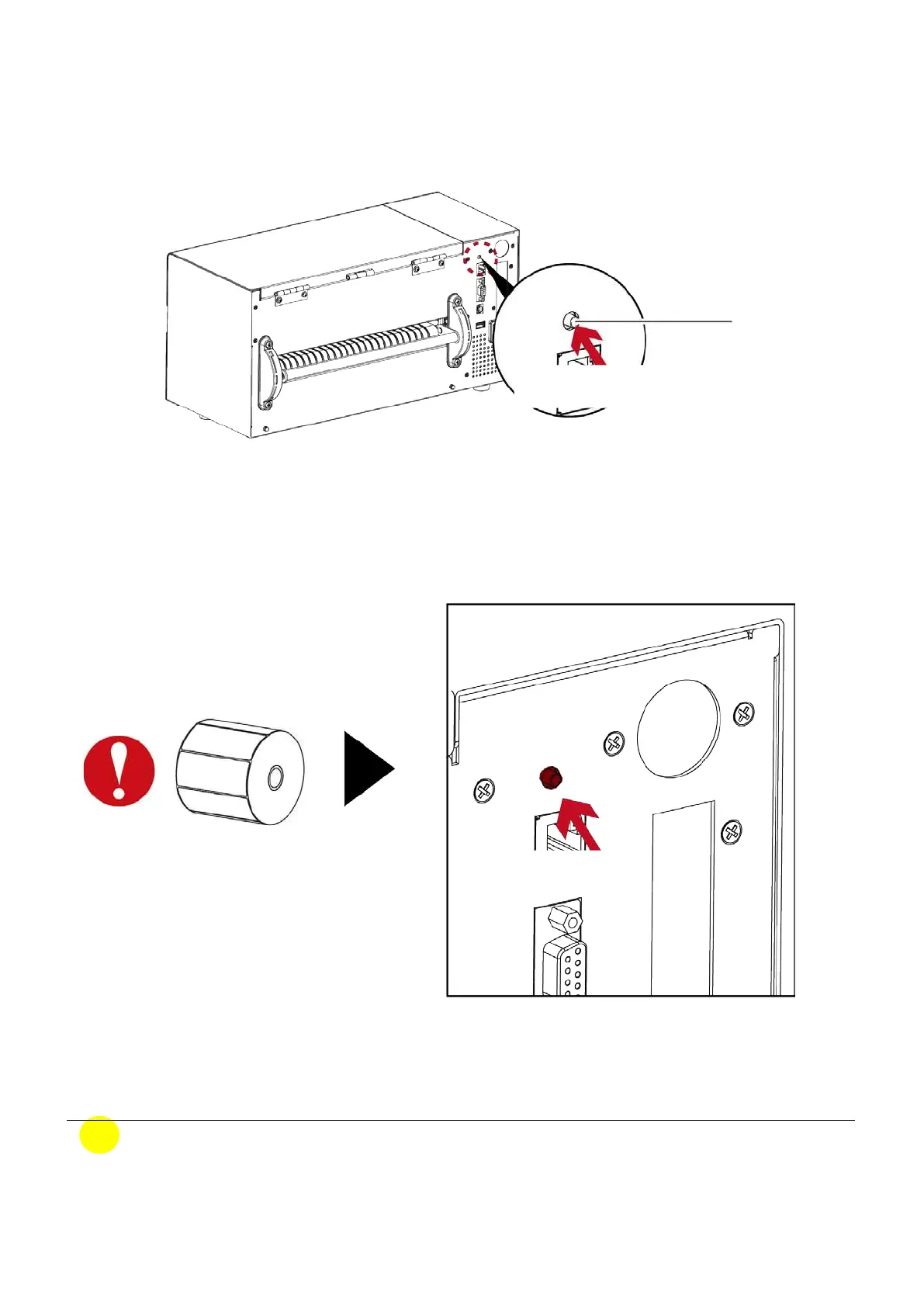
「C a lib ra tio n ke y (C -Butto n)」 Yo u c o uld p re ss the c a lib ra tio n ke y w hile me d ia b e e n re p la c e d o r
me d ia e rro r to a d just the me d ia size .
No te
* The 「C -Butto n」func tio n is sa me a s se nd ing c o mma nd (~S,SENSO R), if run d uring the p rinting ,
the (Print Jo b ) will b e d e le te d a nd run me d ia c a lib ra tio n. Ne e d to re se nd the p rint jo b a fte r
c a lib ra tio n.
C- Button
Calibration Key
Press and hold 1~2 seconds
Hold 1~2 seconds
Pre ss a nd ho ld the 「C -Butto n」 a ro und 2 se c o nd s, the p rinte r will run the me d ia c a lib ra tio n



 To Next Page