2 Printe r Se tup
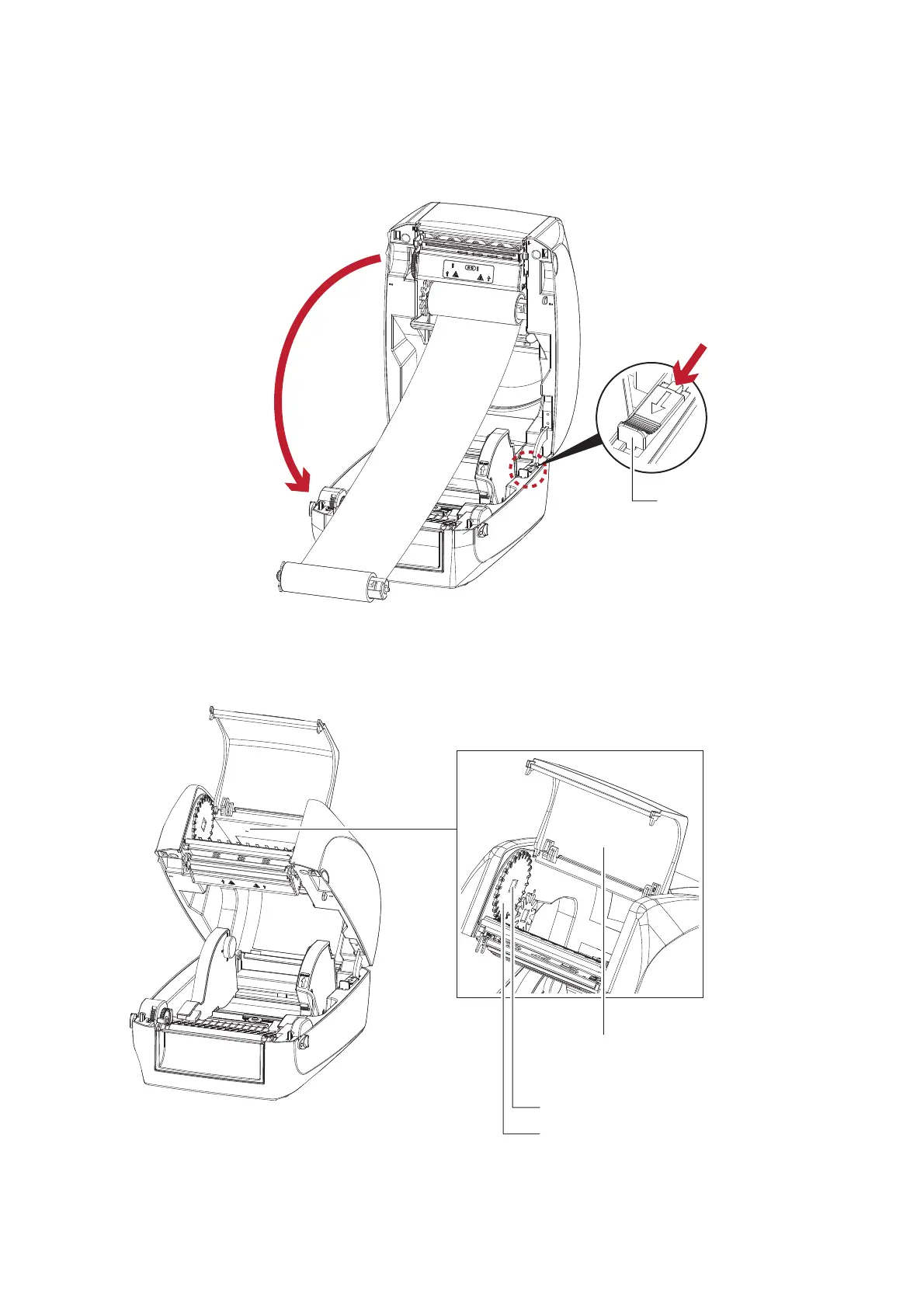
2. Unlo c k the re le a se c a tc h to c lo se the p rinte r c o ve r. Push the re le a se c a tc h fo rwa rd to unlo c k it.
The rib b o n sup p ly mo d ule lo a d ing is c o mp le te d .
Lo a d the Ribb o n o n the Printe r
Fo r Rib bo n Re wind Mo dule
C lo se the p rinte r c o ve r
2
Push
1
RELEASE C ATCH
Re le a se c a tc h fo r c lo sing
the p rinte r c o ve r
RIBBO N REWIND MEC HANISM
NO TC H O F RIBBO N REWIND WHEEL
RIBBO N REWIND WHEEL
C O VER
The c o ve r fo r Rib b o n re wind me c ha nism



 To Next Page