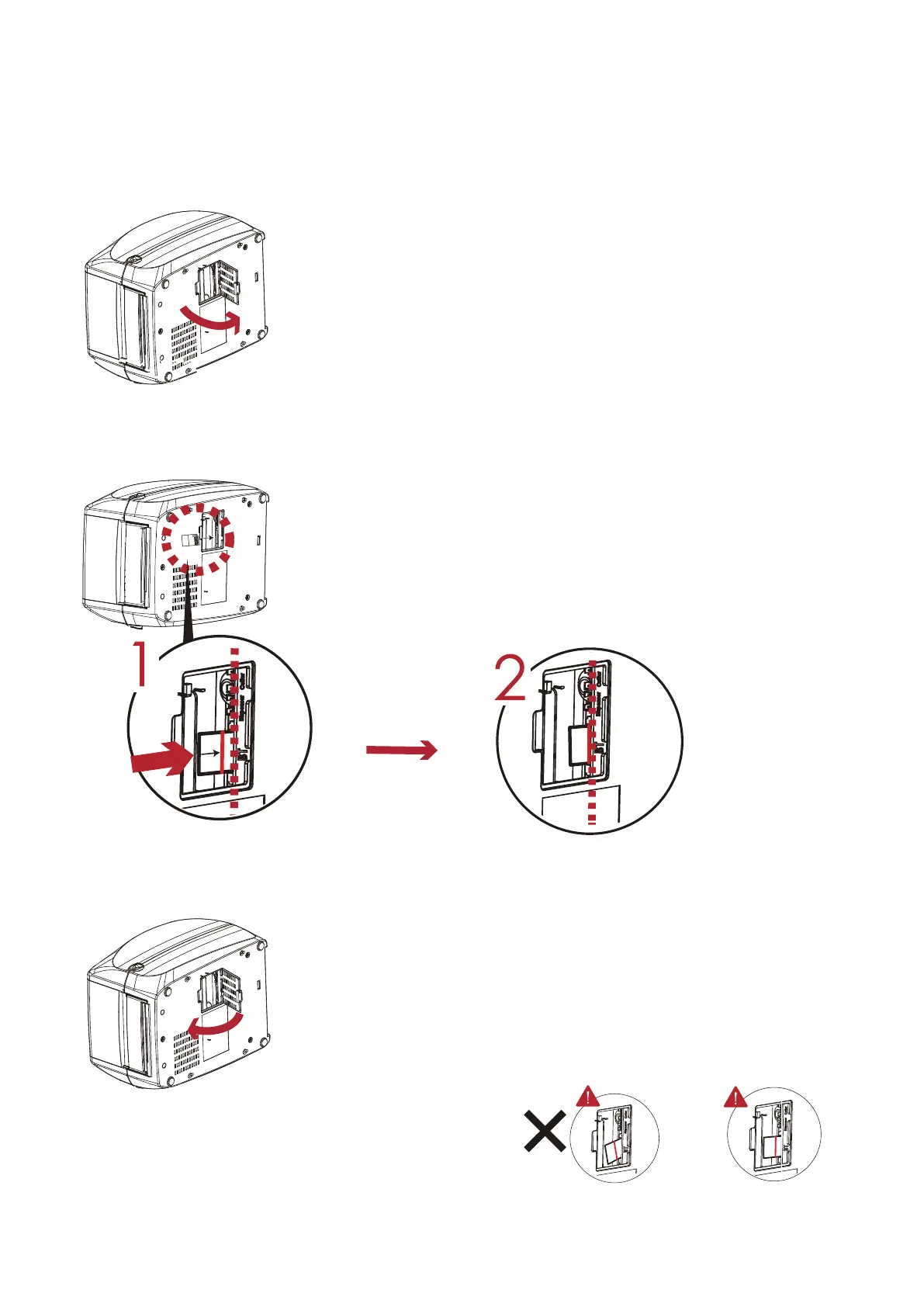
Module not inserted parallel
to the mainboard.
1.*** Incorrect installations below must be avoid.
注意
2. Power off before installing the WiFi module.
Insert WiFi module into the
slot.
Close the option cover.
Power off and open the option cover.
Step 1.
Step 2.
Step 3.
BT
rett
u
C
res
n
e
ps
iD
Push the module till the indication line
aligns to the edge of mainboard to avoid
signal error.
Module not completely inserted.
5 Accessories
5.5 Installing the WiFi Module(For RT860i)
62
* Due to RT800i Series WiFi module message communication through LAN port, please make sure WiFi module has been removed when you want to use LAN port.



 To Next Page