5 Ac c e sso rie s
Be fo re insta lling the o p tio na l mo d ule s, p le a se ma ke so me p re p a ra tio ns a s fo llo ws.
1. Turn o ff the p rinte r :
Re me m b e r to switc h o ff the p rinte r b e fo re insta lling a ny mo d ule .
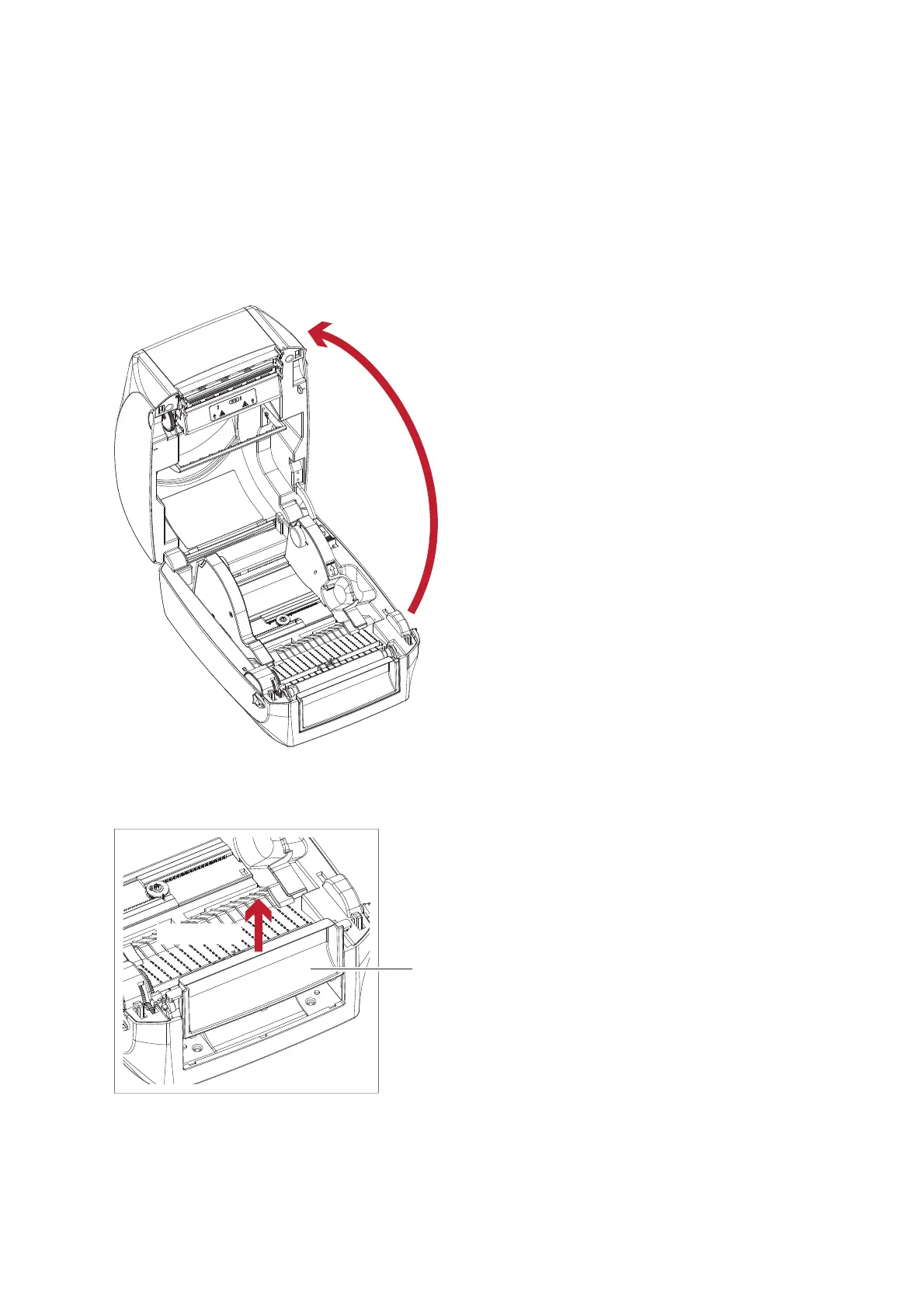
2. O p e n the p rinte r c o ve r a nd the p rinting me c ha nism :
O p e n the p rinte r c o ve r b y p ulling the re le a se c a tc he s o n b o th sid e s o f the p rinte r a nd lift the c o ve r.
Ple a se se e the Se c tio n 2.1 fo r furthe r info rm a tio n a b o ut O p e n the Printe r.
3. Re mo ve the fro nt c o ve r :
Ple a se p ull up wa rd to re m o ve the fro nt c o ve r.
5.1 Pre p a ra tio n Ste p s
The p rinting me c ha nism is lifte d up
with the p rinte r c o ve r
Pull up wa rd
FRO NT C O VER
49



 To Next Page