6 Ma inte na nc e a nd Ad justme nt
6.1 C le a ning the Print He a d
Dirt o n the p rint he a d o r rib b o n ma y re sult in ina d e q ua te p rint q ua lity (the re a re o nly p a rtia l ima g e s o n the la b e l).
The p rinte r c o ve r sho uld the re fo re b e ke p t c lo se d w he n p o ssib le . Ke e p ing d irt a nd d ust a wa y fro m the p a p e r o r
la b e ls e nsure s a g o o d p rint q ua lity a nd a lo ng e r life sp a n o f the p rint he a d .
C le a ning Ste ps
1. Switc h o ff the p rinte r.
2. O p e n the p rinte r c o ve r.
3. Re m o ve the rib b o n.
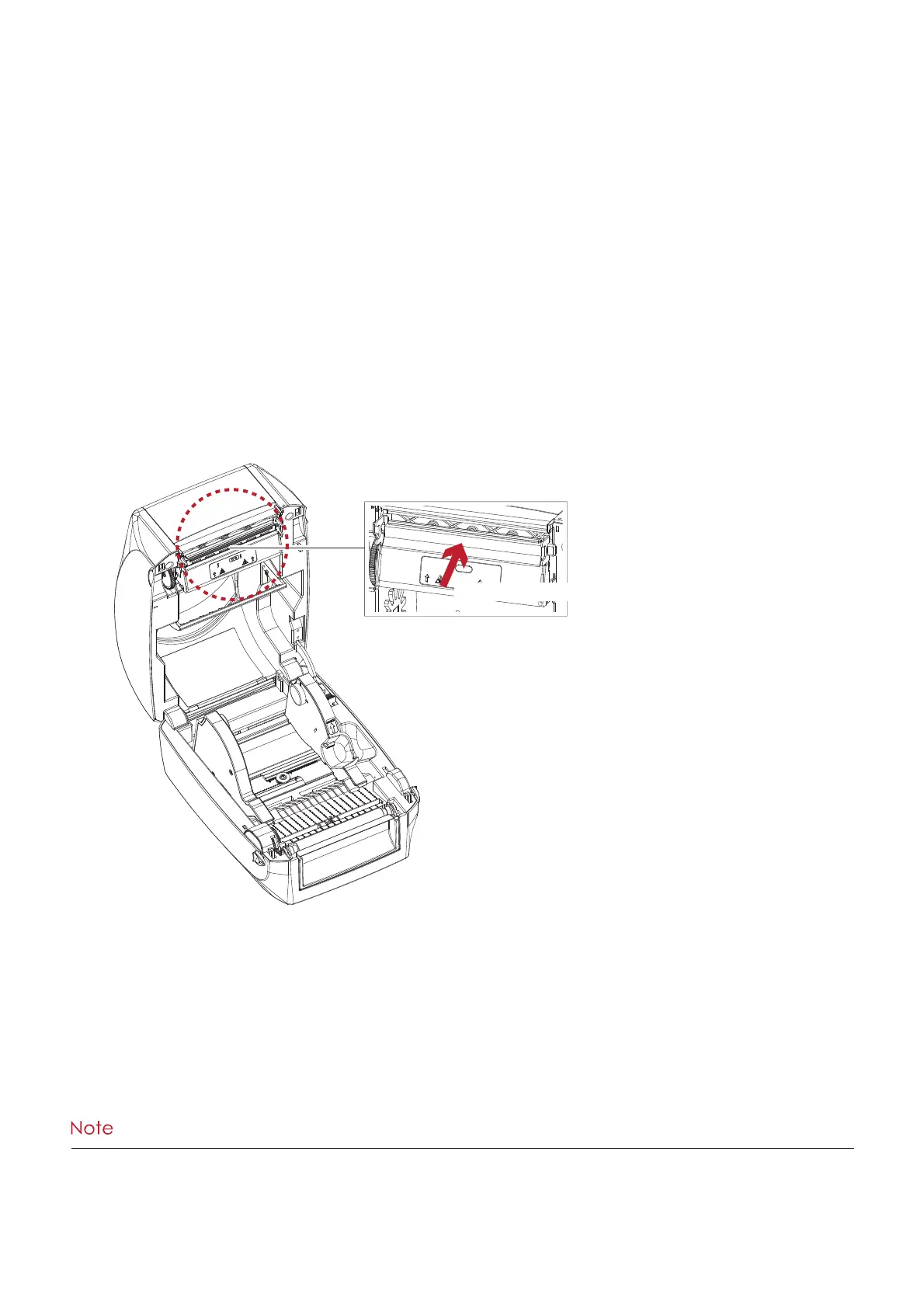
4. To re mo ve a ny la b e l re sid ue o r o the r d irt fro m the p rint he a d
(se e Re d a rro w), p le a se use a so ft lint-fre e c lo th d ip p e d in a lc o ho l to wip e .
****We e kly to c le a n the p rint he a d o ne time . (Re c o m me nd e d )
****Whe n c le a ning the p rint he a d , p le a se no te tha t if the re is a tta c he d to m e ta l o r ha rd o n so ft c lo th, if using a d irty
so ft c lo th ma d e p rinte r he a d d a ma g e is no t c o ve re d und e r wa rra nty c o nd itio ns.
PRINT HEAD
To c le a n the p rint he a d



 To Next Page