5 Ac c e sso rie s
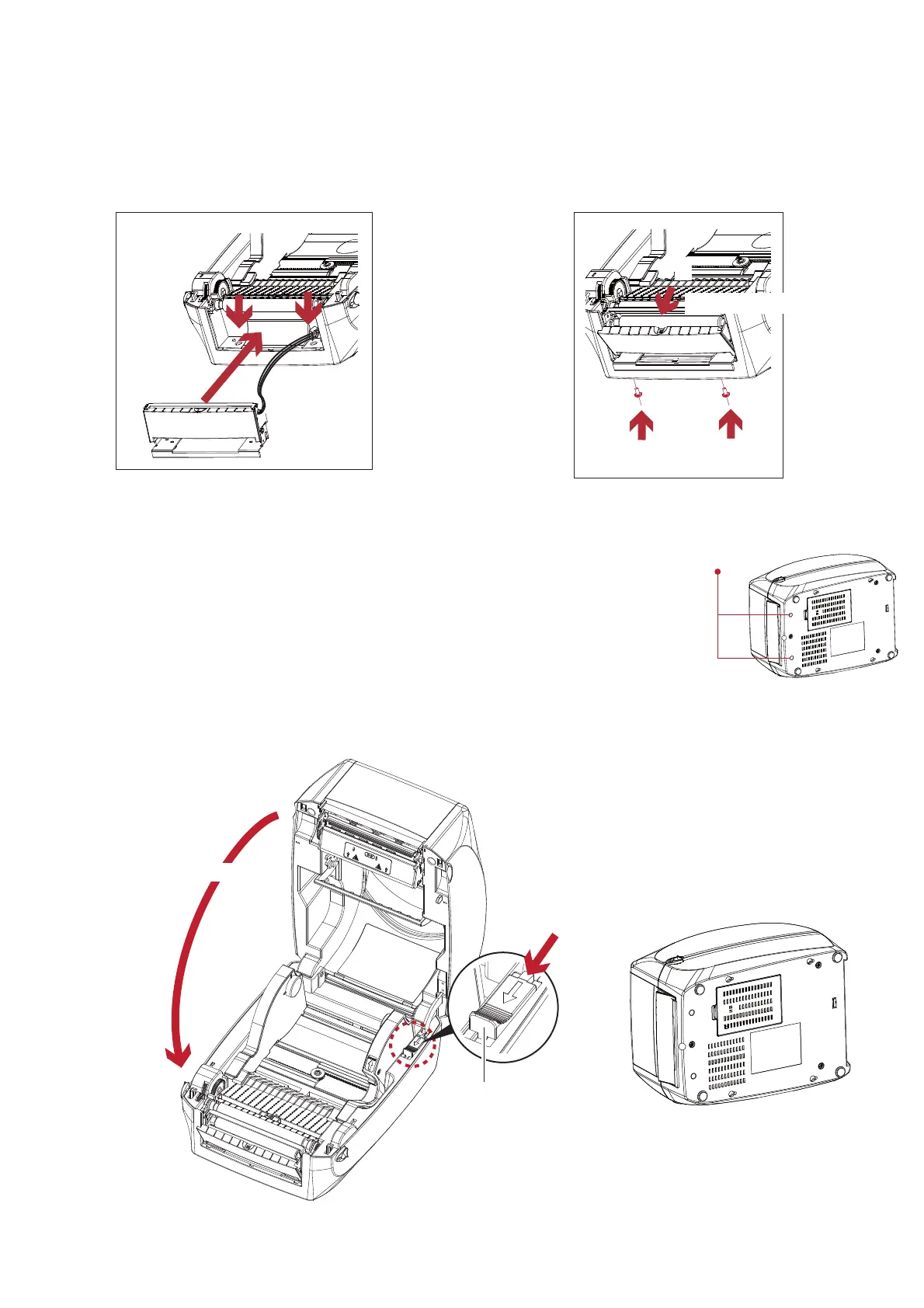
3. Pla c e la b e l d isp e nse r to a lig n b o th ho le s o f sc re w.
4. O p e n the c o ve r o f the la b e l d isp e nse r, a nd the n tig hte n the sc re ws.
5. C lo se the p rinte r c o ve r a nd p rinting me c ha nism.
The n to turn the p rinte r up sid e d o wn.
C lo se the p rinte r c o ve r
2
Push
1
RELEASE C ATCH
Re le a se c a tc h fo r c lo sing
the p rinte r c o ve r
Sc re w Ho le
2
7LJKWHQWKHVFUHZV
2
2SHQWKHFRYHU
1
52



 To Next Page