5 Ac c e sso rie s
Insta lling the La b e l Ro ll Mo dule o n the Printe r
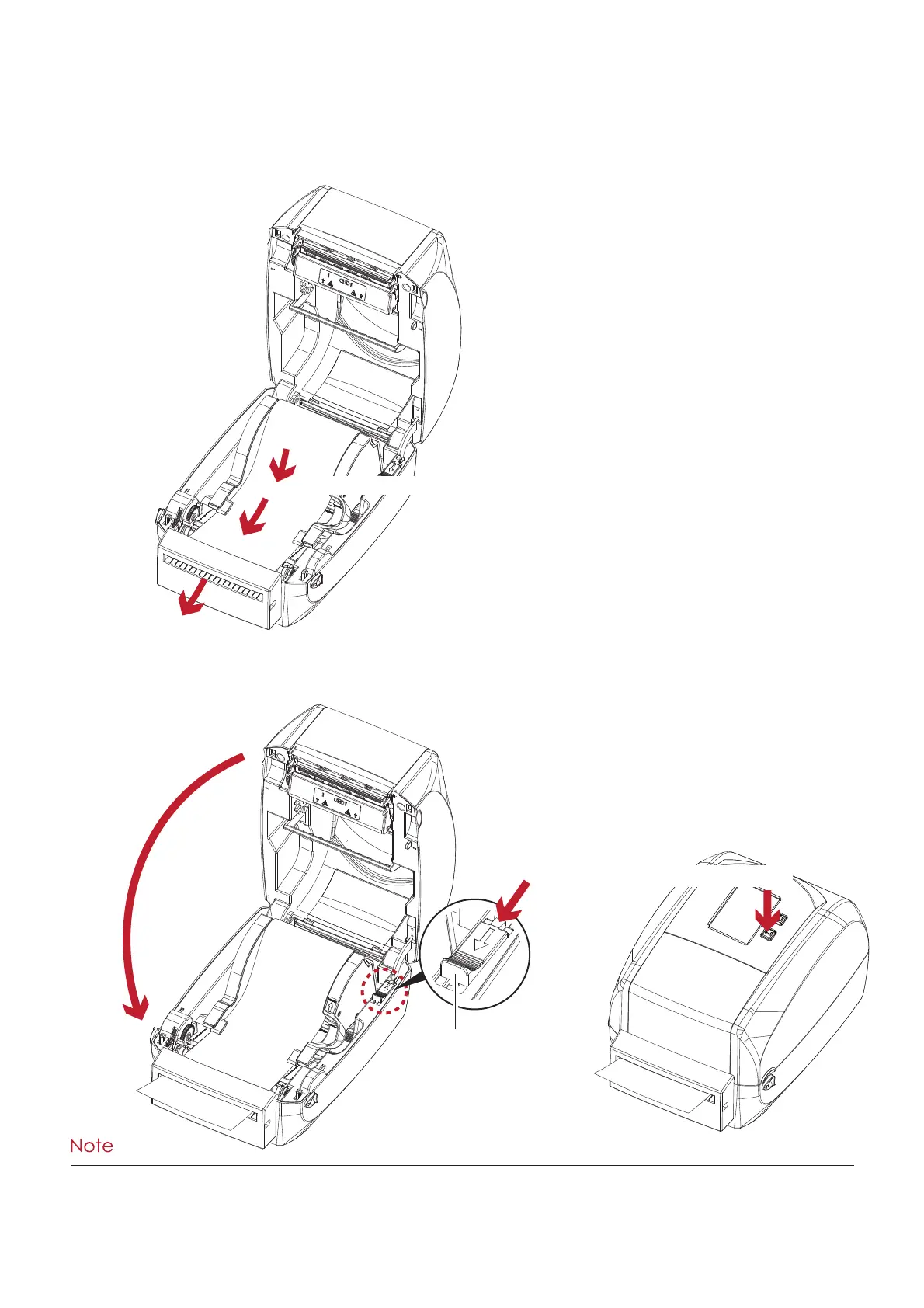
1. Pa ss the la b e ls thro ug h the g uid e s a nd the c utte r.
2. C lo se the to p c o ve r a nd p rinting m e c ha nism . To finish, p re ss the FEED b utto n to se t the la b e l p o sitio n.
C lo se the to p c o ve r
Push
1
RELEASE C ATCH
Re le a se c a tc h fo r c lo sing
the p rinte r c o ve r
2
Pre ss the fe e d ke y
****We a d vise a g a inst using insid e w o und la b e l sto c k.
****La b e ls sho uld b e a t le a st 30 m m hig h. Whe n using the p rinte r with the c utte r, yo u sho uld se t the sto p p o sitio n
(^E) to 30.
Thro ug h the la b e l g uid e s
Thro ug h the c utte r



 To Next Page