41
Wi-Off Mode
M: Manual Flash
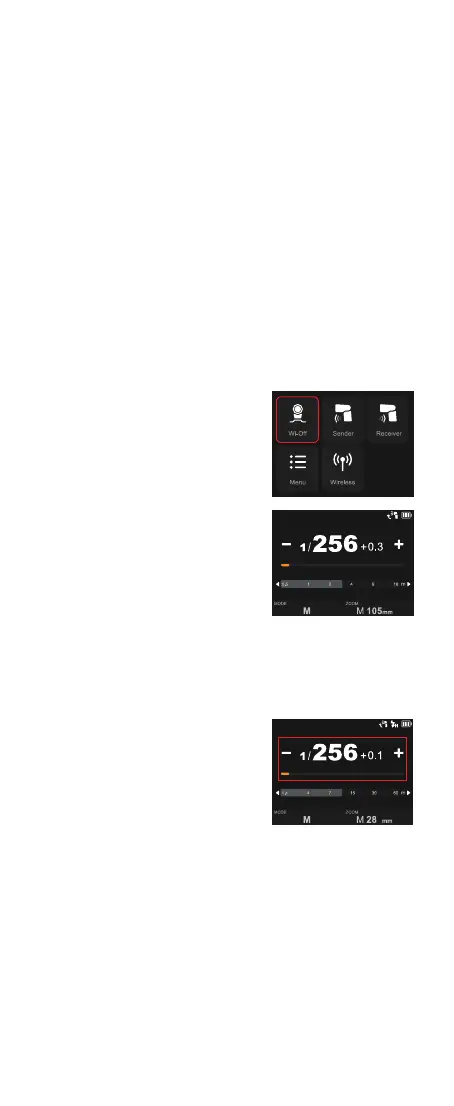
Touch Screen: Slide the screen from
the left to the right to make the mode
interface appears, click the “Wi-Off” icon
to enter Wi-Off mode.
Touch Screen: Click the “MODE” icon to
switch to M mode, press the – or + icon
to adjust the power with ±0.1 increment
each step, or directly pull the progress
bar to achieve quick adjustment.
The flash output is adjustable from 1/1 to 1/256 or from 2.0 to 10 with 0.1
increment each step. To obtain a correct flash exposure, use a hand-held
flash meter to determine the required flash output.
Buttons and Select Dial: Press the
power switch button to make the mode
interface appears, rotate the select dial
and press the set button to choose and
enter Wi-Off mode.
Buttons and Select Dial: Rotate the
select dial and press the set button to
choose “MODE” icon, then rotate and
press again to choose “M”. Rotate up
to choose the power value, then rotate
and press again to adjust power with 0.1
increment each step, quick adjustment
is also available by fast rotation.
Standby: Setting as wi-off/sender mode when the standby function is
on, the flash will enter standby mode automatically after a certain period
(approx. 90 seconds) of idle use. Press the camera shutter halfway or press
any button will wake up the flash unit.
Auto Off:
1. Setting as wi-off/sender mode when the auto off function is on (the auto
off function is available only after the standby function is off), the flash will
automatically shut down after 60 minutes (or 30 minutes, 90 minutes) of
idle use.
2. Setting as receiver mode and turning on the auto off function (the auto
off function is available no matter the standby function is on or off), the
flash will automatically shut down after 60 minutes (or 30 minutes, 90
minutes) of idle use. The auto off function can be turned off when using off-
camera as a receiver unit.



 To Next Page