42
S1 Photocell Unit Setting
In M manual flash mode, this flash can function as an optic S1 secondary
flash with optic sensor. With this function, the flash will re synchronously
when the main flash res, the same effect as that by the use of wireless
triggers. This helps create multiple lighting effects.
S2 Photocell Unit Setting
In M manual flash mode, this flash can also function as an optic S2
secondary flash with optic sensor. This is useful when cameras have pre-
flash function. With this function, the flash will ignore a single “pre-flash”
from the main flash and will only re in response to the second, actual flash
from the main flash.
1. S1 and S2 Photocell triggering is only available in M manual flash mode.
2. Enter menu setting to switch between S1/S2 Photocell or turn off this function.
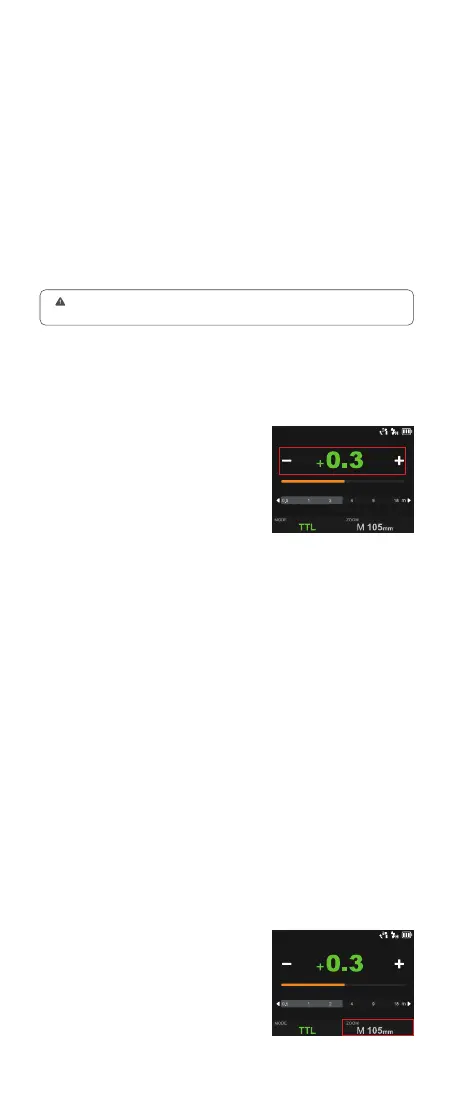
Touch Screen: Click the “MODE” icon
to switch to TTL mode, press the – or +
icon to adjust the FEC amount among
±3 with ±1/3 increment each step, or
directly pull the progress bar to achieve
quick adjustment.
Touch Screen: Click the “ZOOM” icon
to switch between auto zoom(A--mm)
mode or manual zoom mode.
TTL: TTL Auto Flash
ZOOM: Setting the Flash Coverage
In TTL mode, the camera's metering system detects the flash reflected
from the subject and automatically adjusts the flash output so that the
subject and background are evenly exposed.
The flash coverage can be set automatically or manually. In auto zoom
mode, the focal length changes in response to the camera's zoom lens to
provide optimal flash results.
Press the camera shutter halfway to focus. The effective flash range will be
displayed in the LCD panel.
When the shutter is fully pressed, the flash will re a pre-flash that the
camera will use to calculate exposure and flash output the instant before
the photo is taken.
●
●
Buttons and Select Dial: Rotate the
select dial and press the set button to
choose “MODE” icon, then rotate and
press again to choose “TTL”. Rotate
up to choose the FEC amount, then
rotate and press again to adjust the FEC
amount among ±3 with ±1/3 increment
each step, quick adjustment is also
available by fast rotation.
Auto Zoom Mode: A-mm, and the flash coverage will be set automatically.
Manual Zoom Mode: 28 mm, 35 mm, 50 mm, 70 mm, 80 mm, 105mm.
Buttons and Select Dial: Rotate the
select dial and press the set button to
choose “ZOOM” icon, then rotate and
press again to choose the needed zoom
mode.



 To Next Page