53
A
B
C
D
E
Touch Screen: Slide the screen from the left to the right to make the mode
interface appears, click the “Sender” icon to enter sender mode, slide from
the left to the right to return to the main interface.
Touch Screen: Slide the screen from the left to the right to make the mode
interface appears, click the “Receiver” icon to enter receiver mode, slide
from the left to the right to return to the main interface.
Wireless Sender/Receiver Settings
About the Sender Unit
Sender Unit's (Flash) ON/OFF(Only available in
V100 C)
Set as a Sender Unit
Use two or more sender units. By preparing several cameras that with
sender units attached, cameras can be changed in shooting while keeping
the same lighting source (receiver unit).
You can set whether the sender unit flash that sends wireless signal flashes
or not, and when the sender unit flash setting is on, the flash res as a flash
A group.
Touch Screen: Slide the screen from the left to the right to make the mode
interface appears, click the “Menu” icon to enter menu interface, choose
“Sender Flash” icon and click to turn on or off the sender flash.
Set as a Receiver Unit
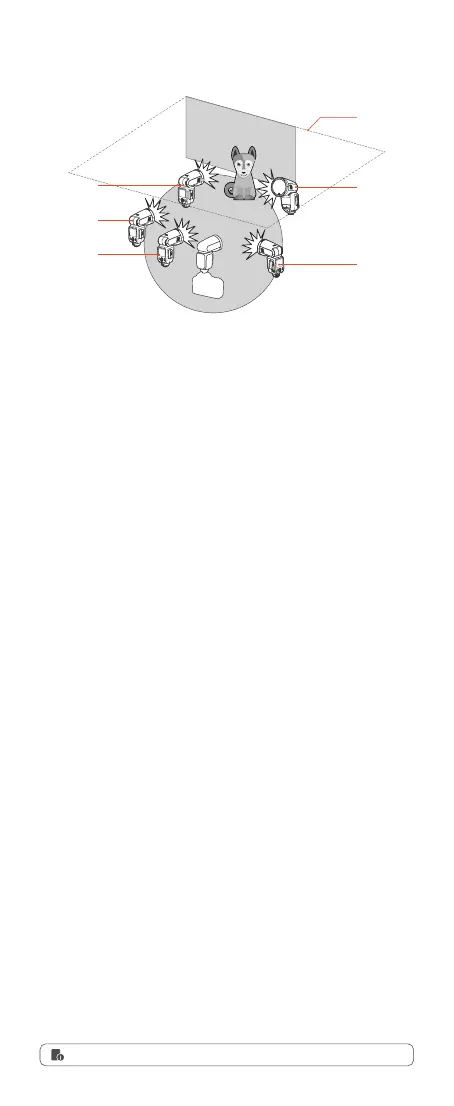
Shooting with a Different Flash Mode Set for Each Group
●
Even if the sender unit flash ring is off, it still sends wireless flash signals.
Ceiling
Manual Flash
Manual Flash
Manual Flash
TTL
TTL
Buttons and Select Dial: Press the power switch button to make the mode
interface appears, rotate the select dial and press the set button to choose
and enter sender mode. Short press the power switch button to return to
the main interface.
Buttons and Select Dial: Press the power switch button to make the mode
interface appears, rotate the select dial and press the set button to choose
and enter receiver mode. Short press the power switch button to return to
the main interface.
Buttons and Select Dial: Press the power switch button to make the mode
interface appears, rotate the select dial and press the set button to enter
menu interface and choose “Sender Flash”, then rotate the select dial and
press the set button to turn on or off the sender flash. Short press the
power switch button to return to the main interface.



 To Next Page