14 15
Getting to Know Your GoPro
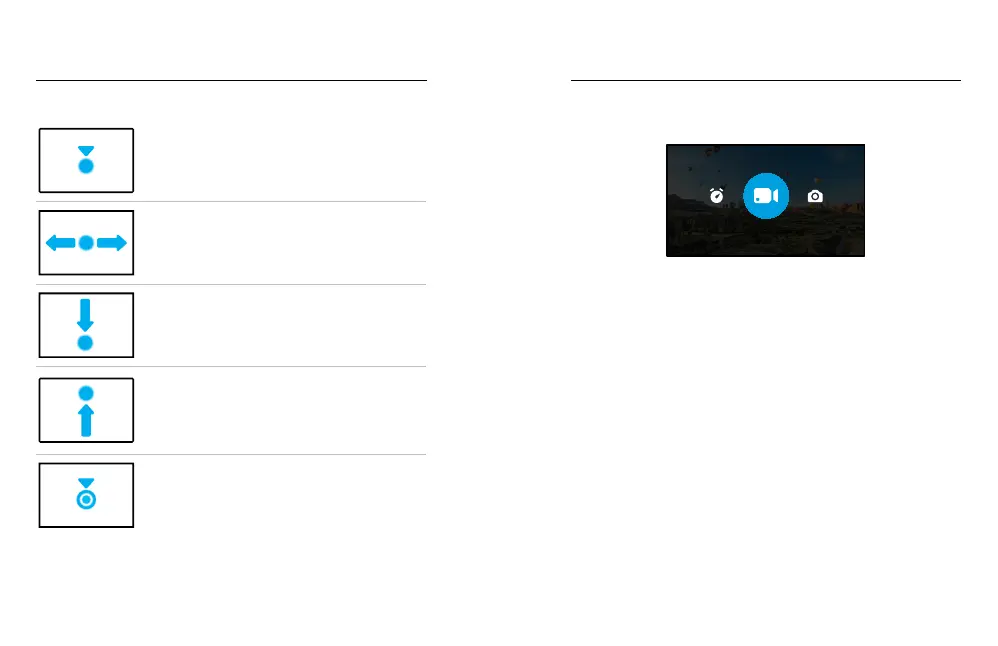
USING THE TOUCH SCREEN
Tap
Selects an item and turns a setting on or o.
Swipe Left or Right
Switch between Video, Photo
and Time Lapse modes.
Swipe Down From the Edge of the Screen
Open the Dashboard when your camera is in a
landscape orientation.
Swipe Up From the Edge of the Screen
See the last photo or video you captured and access
the Media Gallery.
Press and Hold the Capture Screen
Turn on and adjust Exposure Control.
CAPTURE MODES
Your GoPro has three main capture modes.
VIDEO
Change modes by swiping left or right to the one you want.
Video
To learn more, see Recording Video (page 33).
Photo
Includes Photo and PowerPano modes. To learn more, see Taking Photos
(page 38).
Time Lapse
Includes TimeWarp and Time Lapse modes. To learn more, see Capturing
Time Lapse (page 43).
Getting to Know Your GoPro















 To Next Page