GP3D Root User Manual
15
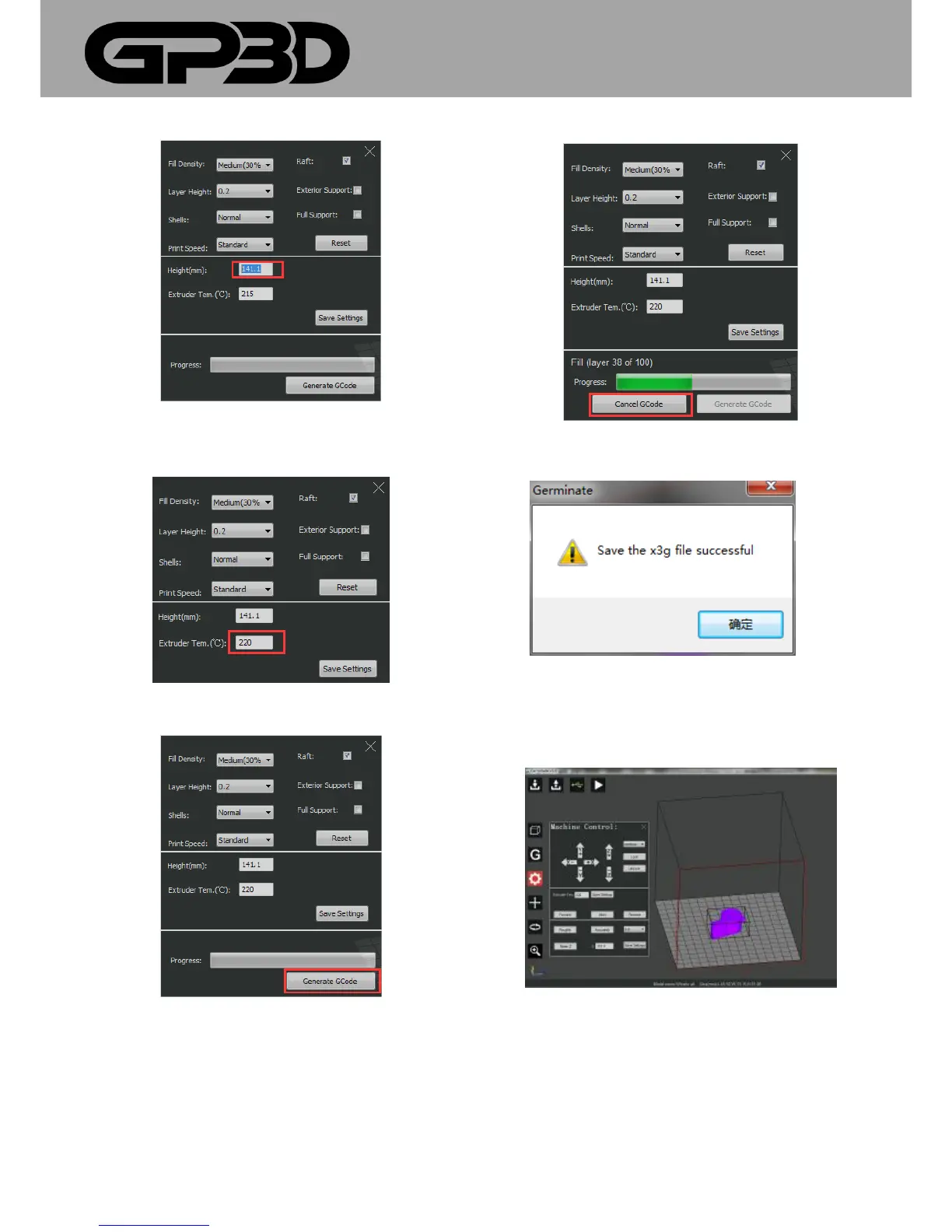
4.1.9.16 Set the nozzle temperature: directly input the temperature in the
dialog box and click “Setting”. For PLA material, the recommended
temperature is 220-230 °C.
4.1.9.17 After the above parameters are set, click “Generate GCode”.
4.1.9.18 During GCODE generation, in case of improper parameter
settings found, click “Cancel GCode”, as shown below.
4.1.9.19 After GCODE is generated; the interface pops out as shown below.
Click “Ok”.
4.1.10 Control the printer
4.1.10.1 Click the icon of GP3D Root control and the control interface
pops out.
4.1.10.2 GP3D Root control includes three parts: movement control“1”,
temperature control “2” and Z-axis height setting “3”, as shown below.



 To Next Page