Operation
58 312759W
Recirculation Mode Operation
Recirculate Materials
1. Turn both 3-way ball valves at the dispense valve so
materials will flow back to tank.
2. Ensure system air pressure is at the standard oper-
ating setting.
3. Navigate to the Fluid Options Setup Screen. See
Screen Navigation Diagram on page 17.
4. Configure the shot size, timer duration, and alarm
point, then enable the Recirculation Timer. See
Fluid Options, Screen #1 on page 27.
5. Navigate to the Home screen. See Screen Naviga-
tion Diagram on page 17.
6. Press the Start/Stop Shot button ( ) to begin the
recirculation cycle and take the first recirculation
shot.
Stop Recirculation, If Necessary
7. Press the Select Operating Mode button ( )
repeatedly to scan through operating modes.
8. Press the Enter button ( ) to accept the
selected operating mode or press the Abort/Cancel
button ( ) to keep the current mode.
9. If changing modes is cancelled, the machine will
remain in recirculation mode but the recirculation
cycle is stopped. To restart recirculation, press the
Start/Stop Shot button ( ).
10. When Recirculation mode is stopped, turn the
3-way ball valves at the dispense valve so materials
will flow out of the dispense head.
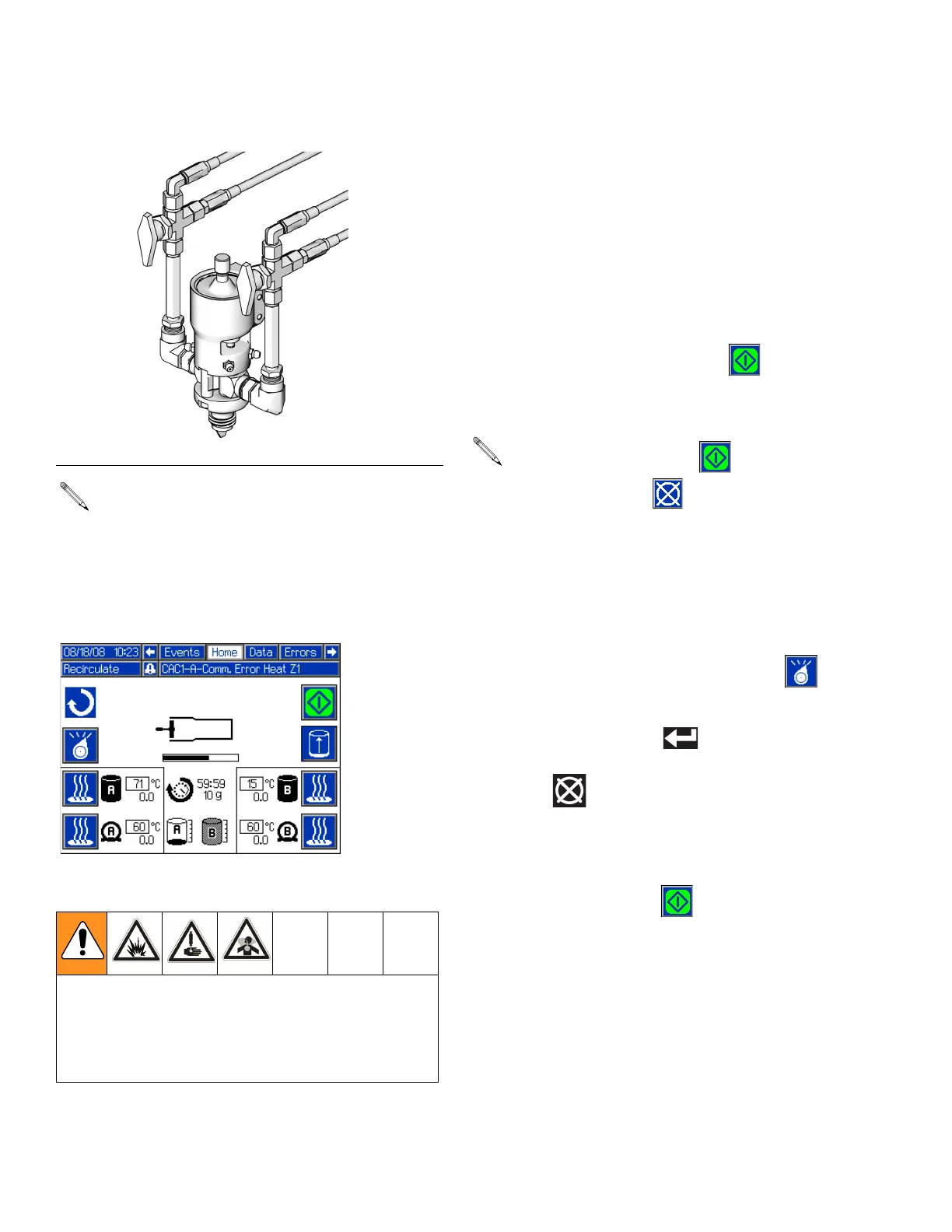
F
IG. 36: Recirculation Valves
Recirculation mode requires that one 3-way ball
valve is installed for each material line. The ball
valve must be installed at the dispense head and
have fluid lines going from the ball valve back to the
tank. See F
IG. 36.
In Recirculation mode, the dispense valve is always
closed.
When Recirculation mode is enabled, both recircula-
tion ball valves must be turned to return material
back to the tank. Only turning one valve may result in
a pressure imbalance exceeding the machine’s max-
imum working pressure.
The Start/Stop Shot button ( ) changes to the
Abort/Cancel button ( ) while the recirculation
shot is dispensing. Press the Abort button to cancel
that shot. Recirculation mode will remain active and
another recirculation shot will occur at the expira-
tion of the timer.



 To Next Page